Pop Art Generator That Keeps Your Face Yours
Upload a photo and the pop art generator redraws it with halftone dots, thick outlines and bold color, keeping your face, hair and pose.
JPG, PNG or WebP, up to 10 MB each
Examples
Start from a real pop art generator result
All three cards are real results from this editor. Pick Pop Art Portrait to load its photo and prompt into the pop art generator.
Want a round avatar? The AI profile picture generator crops the same look into a circle. For softer lines try photo to anime, or open the image to image editor for any other style.
How it works
Turn photo into pop art in 3 steps
The pop art generator needs one clear photo and one sentence about the look you want.
Upload a clear photo
A front-facing selfie in even light gives the pop art generator the most to work with. JPG, PNG or WebP up to 10 MB.
Load Pop Art Portrait
Or write your own pop art generator prompt: halftone dots, thick black outlines, yellow, pink and blue, keep the face.
Generate and download
Pro took 25 to 44 seconds in our tests. Drag the slider to compare, then download or press Try again.
Results
What the pop art generator changed and what it kept
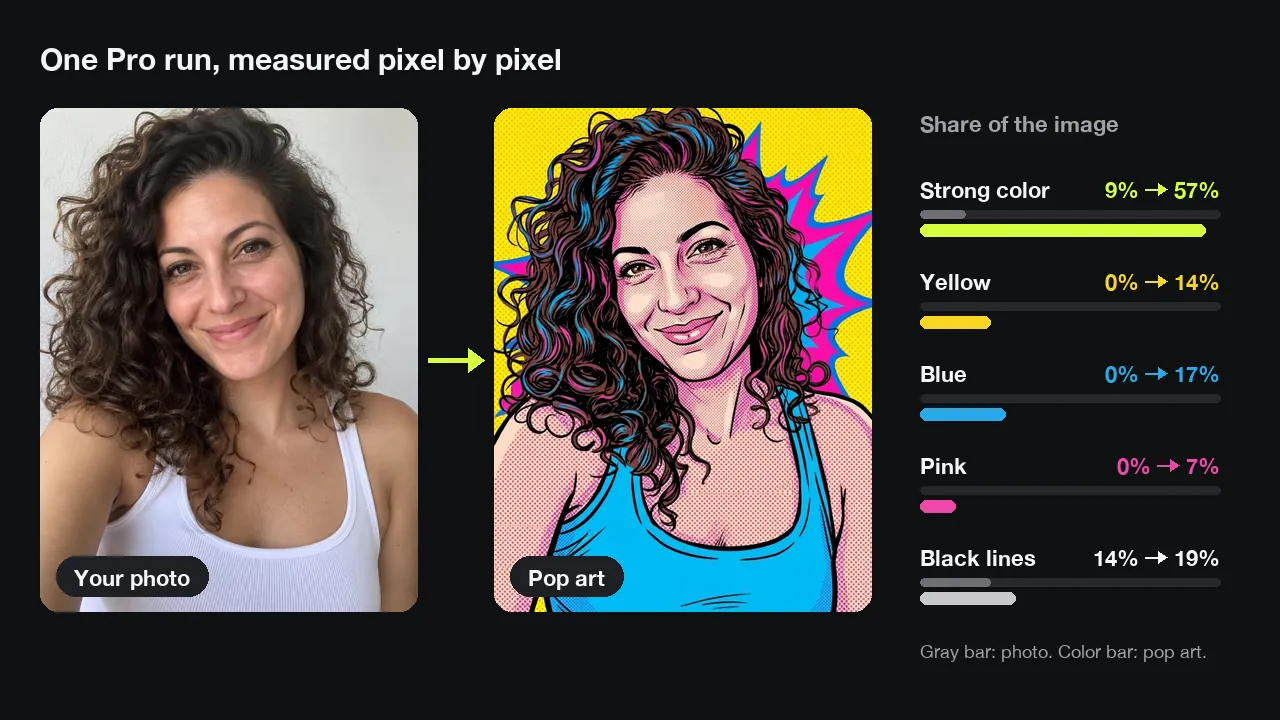
One real pop art generator result, measured against its original photo.
From a white wall to a yellow burst
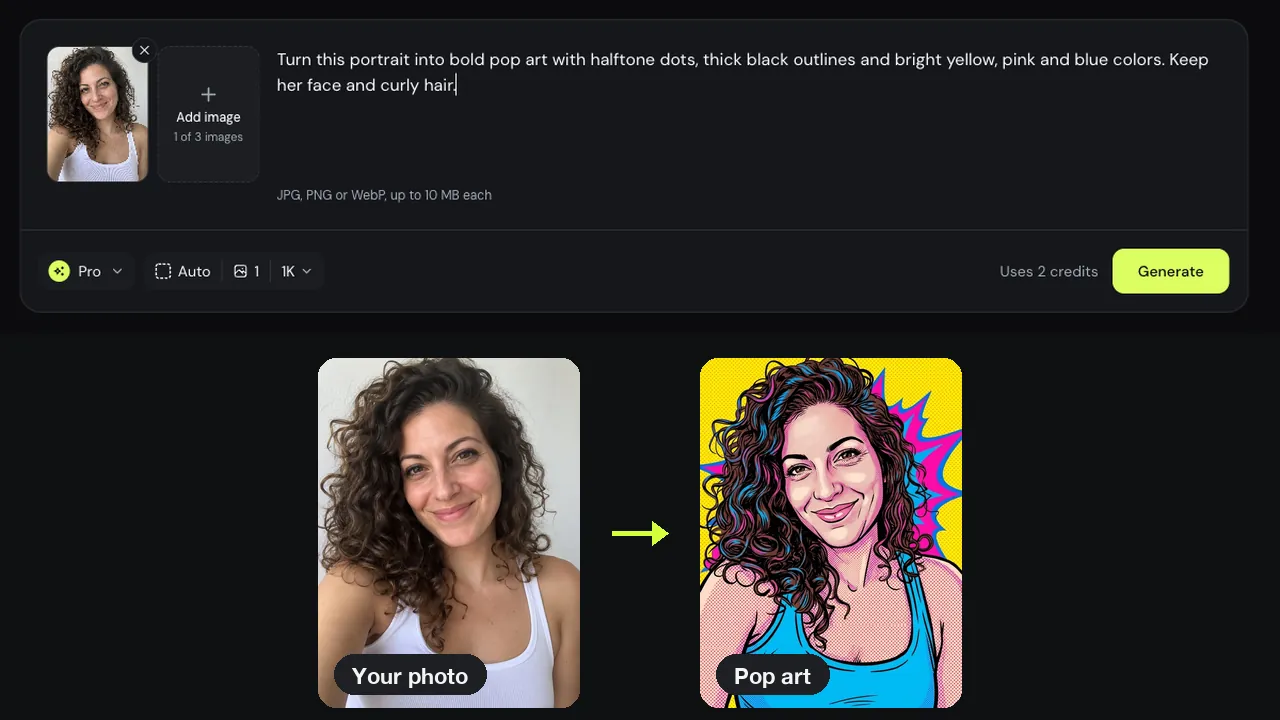
Our test was a selfie of a woman with curly hair in a white tank top. One Pro run of the pop art generator kept her pose and smile, painted the wall yellow with a pink and blue burst, and turned the top blue. Strongly saturated pixels went from 9% of the photo to 57%.
Her face stayed in place
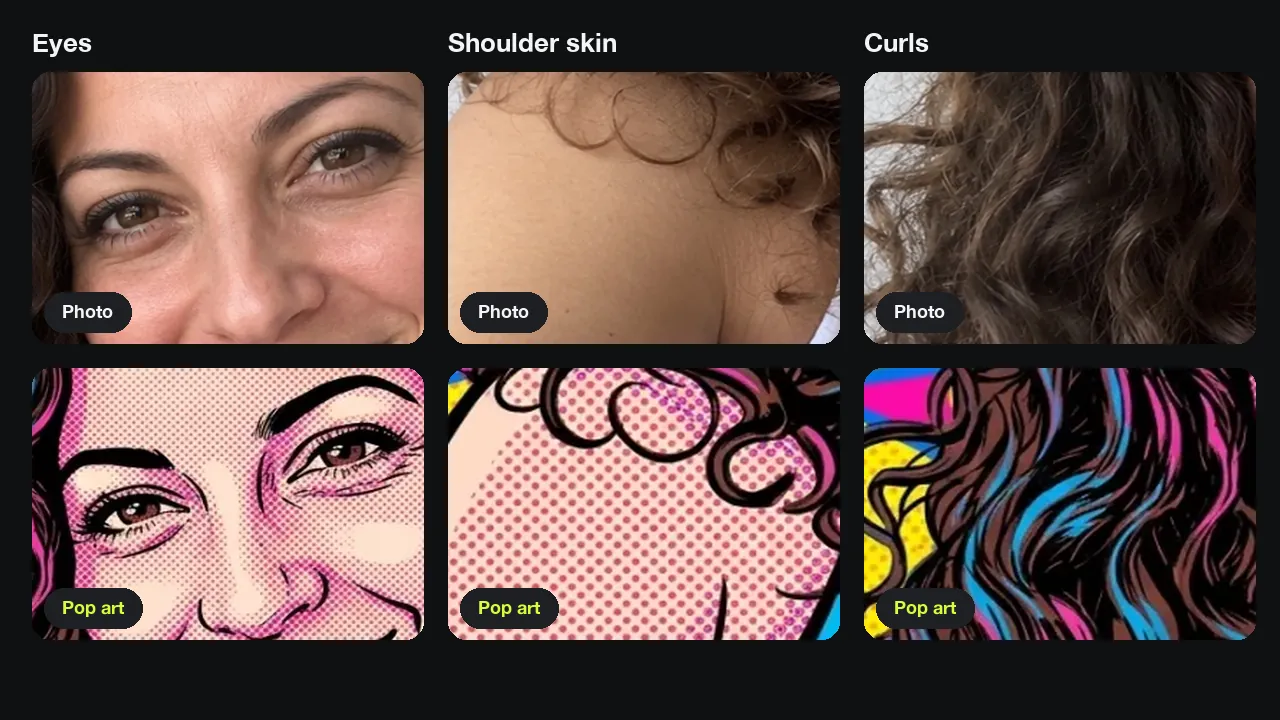
Close up, the pop art generator kept her eyes, smile and the direction of each big curl where they were. It added red halftone dots on her skin, thick black outlines and blue and pink streaks in her hair. Her smile lines came out deeper, so she looks a few years older.
A pop art filter recolors, this redraws
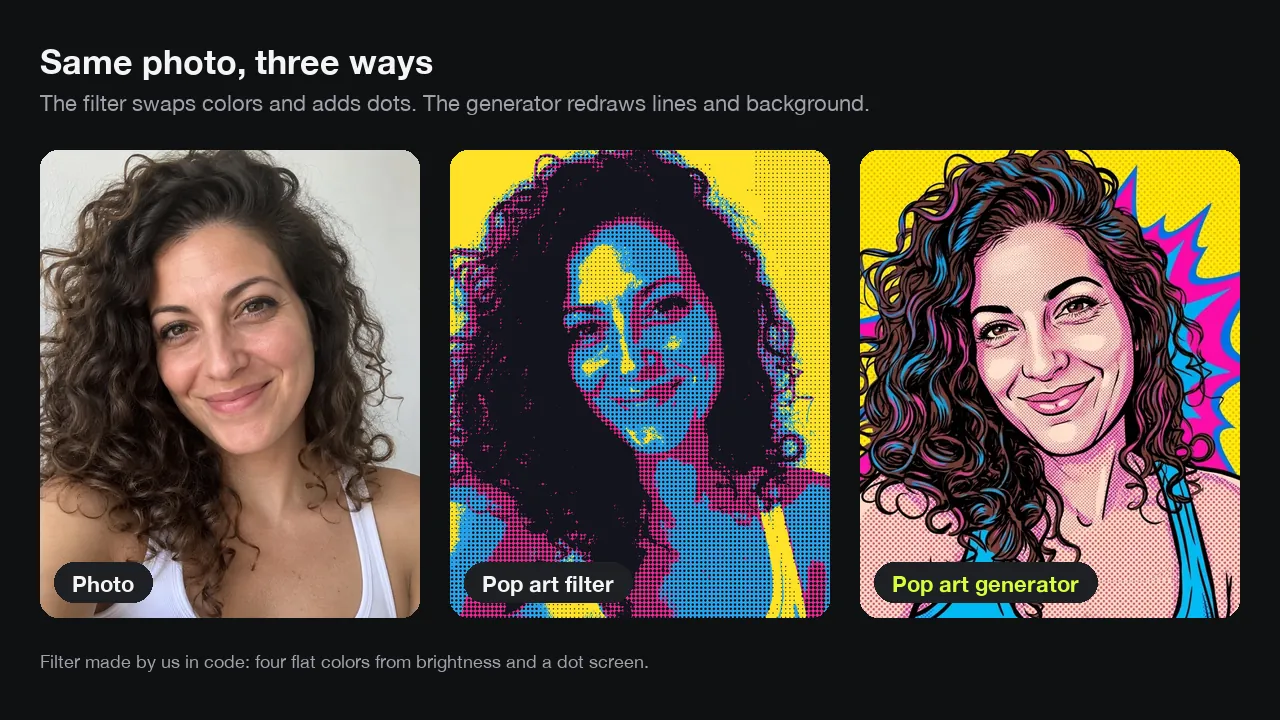
To see the difference, we ran the same photo through a classic pop art filter we built: four flat colors and a dot screen. The filter kept every detail of the photo and only swapped the colors. The pop art generator drew new outlines and replaced the background.
Three things make a pop art portrait
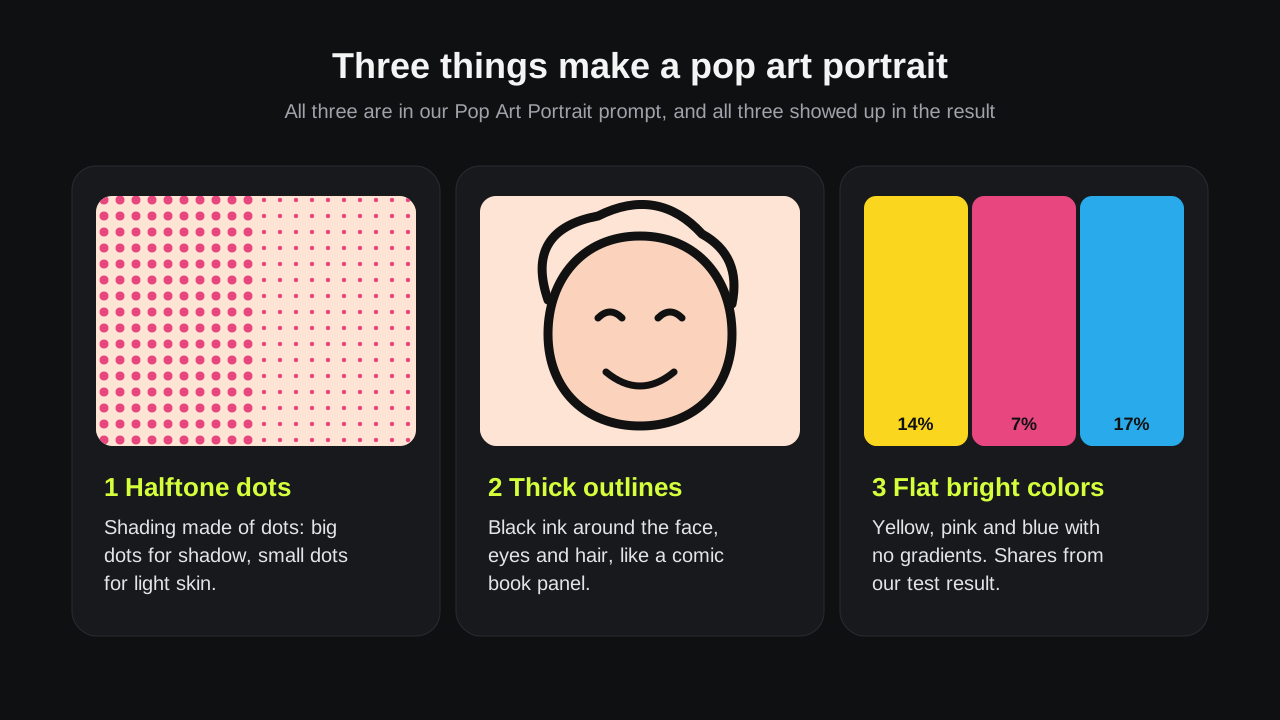
Halftone dots for shading, thick black outlines around shapes, and a few flat, bright colors. Our Pop Art Portrait prompt names all three, and the pop art generator drew each one. Name them in your own prompt too.
Load the template, swap in your photo
Every card on this page loads a real photo and its prompt into the pop art generator. Replace the photo with yours, keep the line about the face, and press Generate.
Prompts
Pop art prompt ideas for Warhol and comic looks
Paste one into the pop art generator and change the details. We tested the template prompt; these four are starting points.
Warhol grid
Turn this portrait into a four-panel pop art grid, each panel in a different bright color scheme. Keep the same face in all four.
Comic book filter
Turn this photo into a comic book panel with halftone dots, thick ink outlines and flat colors. Keep the face and hair.
Speech bubble
Turn this portrait into pop art with halftone dots and a speech bubble that says HELLO. Keep her face and curly hair.
One-color background
Redraw this photo as pop art with thick black outlines on a flat hot pink background. Keep the face and pose.
Tips
Tips for a sharper picture to pop art result
The pop art generator redraws what it can see, so start with a clear photo.
Face the camera
A front or three-quarter view keeps the eyes and smile readable once the pop art generator adds outlines.
Use even light
Hard shadows can turn into large black shapes. Window daylight worked in our test.
Keep the background plain
A plain wall gave the pop art generator room to paint its own yellow burst.
Good to know
How we tested and what to expect
Pop art generator results made with this editor and measured on November 22, 2026 by the Image to Image team.
Test
One selfie in Pro mode. We counted pixels by hue and saturation in the photo and the result, and compared close-ups side by side.
Speed
Pro pop art generator runs took 25 to 44 seconds in our tests; Fast took about 14 seconds.
Cost
Fast uses 1 credit, Pro 2 and Pro HD 3, about $0.20, $0.40 and $0.60 with the $9.99 pack. New accounts may get 2 free credits.
Limits
You cannot set dot size or line weight directly; describe them in the prompt. The pop art generator also changed the white top to blue, and we did not test group photos.
Privacy
Uploads and results are deleted after 7 days.
FAQ
Questions about the pop art generator
Is this pop art generator free?
You can try it free. New accounts may get 2 free credits while the daily allowance lasts, enough for one Pro pop art generator image or two Fast ones. Pro HD needs 3 credits; packs start at $9.99 for 50 credits.
Can I make pop art of my pet or a couple?
Yes. Change the subject in your pop art generator prompt, for example turn this dog into pop art, keep its markings. For two people, use a photo where both faces are clear.
Will the pop art portrait still look like me?
In our pop art generator test it did: her eyes, smile, hairline and pose stayed in place. Her smile lines got deeper, so she looks a little older. If yours drifts, press Try again or add keep the face unchanged.
How is this different from a pop art filter?
A pop art filter recolors the pixels you already have and adds a dot screen. The pop art generator makes pop art from photo uploads by redrawing them: new outlines, a new background and flat color areas. Our filter test above shows both.
Can I print the result as a poster?
Yes, for smaller prints. In Pro HD the pop art generator saves a 2048-pixel file, about 6.8 inches wide at 300 dpi or 13.6 inches at 150 dpi. Print a small proof first.
Ready to make your pop art?
Upload a selfie, load Pop Art Portrait and the pop art generator redraws it in under a minute.