AI Room Design That Keeps Your Window and Layout
Upload a photo of your living room or bedroom and AI room design shows it in a new style, same walls, window and floor.
JPG, PNG or WebP, up to 10 MB each
Examples
Start from a real AI room design result
Both cards are real AI room design results from this editor. Room Makeover loads a sample Scandinavian prompt, and Summer to Winter shows the outside of a house in a new season.
Only want a new backdrop behind a person or product? Use Change image background. Decorating for December? Turn the family photo into a card with the Christmas card generator, or open the image to image editor for anything else. Want the family by the tree too? Make an AI Christmas photo.
How it works
How to use AI room design in 3 steps
AI room design needs one photo of the room and one sentence about the style you want.
Take one wide photo
Stand in a corner at eye level so the window, floor and main wall are in the shot. JPG, PNG or WebP up to 10 MB.
Describe the style
Pick Room Makeover or write your own, such as warm Japandi with oak and linen. End with keep the window and room layout.
Generate and compare
Drag the slider to compare, then download your AI room design or change one more thing.
Results
What AI room design changes and what it keeps
AI room design redraws the furniture, decor and colors in your photo and leaves the parts you cannot change in real life: windows, radiators, walls and the shape of the room.
From a plain living room to Scandinavian
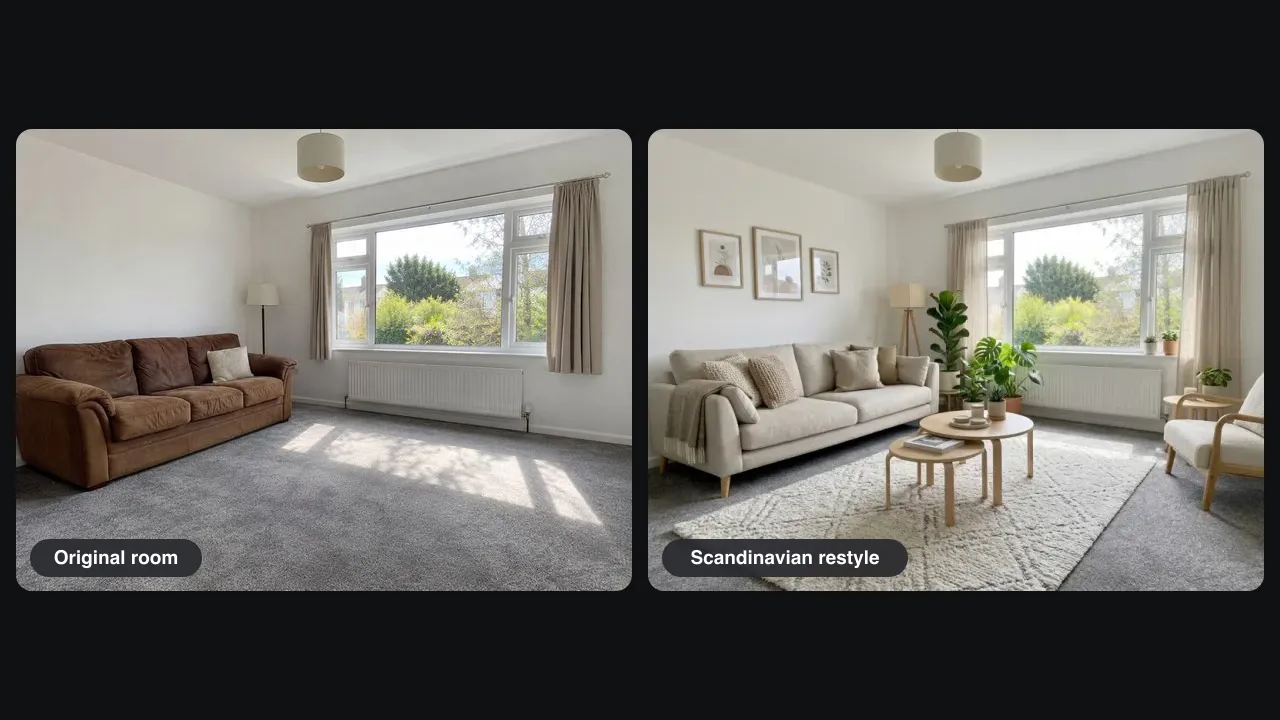
Our test photo was a rental living room with a brown leather sofa, gray carpet and bare walls. One Pro run of AI room design brought in a linen sofa, a wool rug, round oak tables, an armchair and plants. It is an AI room makeover you can picture yourself in, because it is still your room.
Same window, same radiator
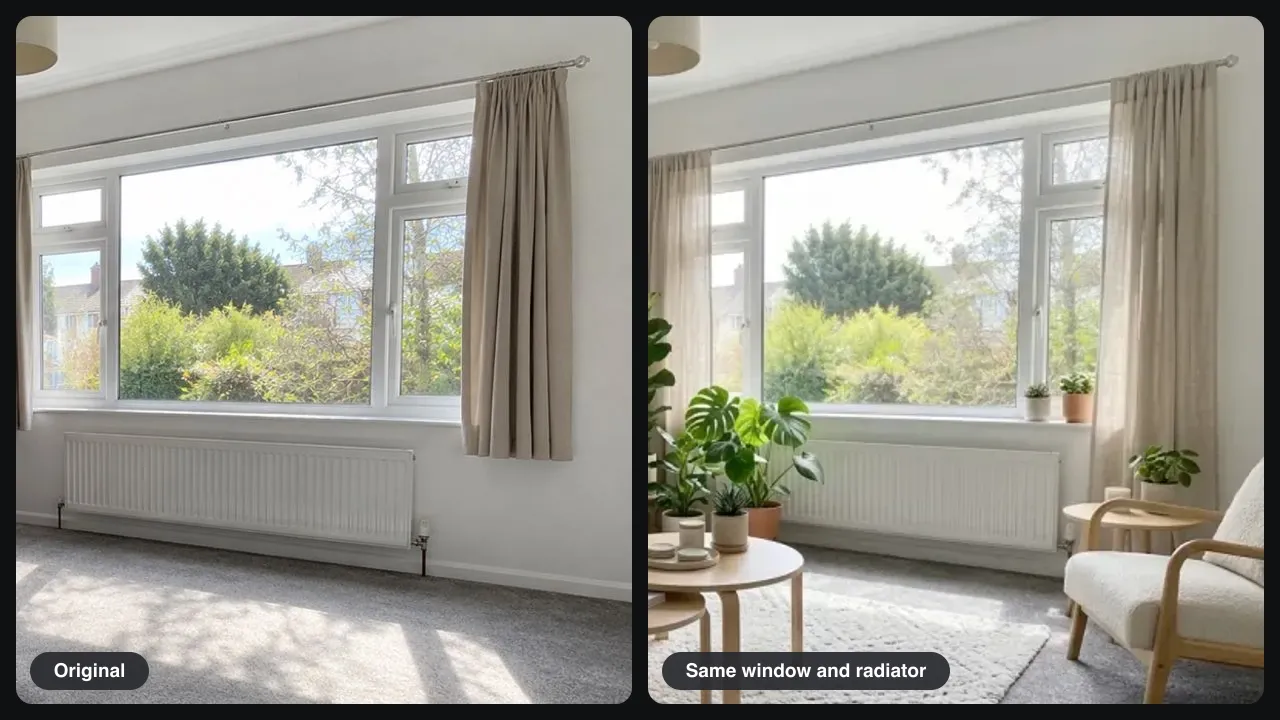
Some room redesign AI tools move windows or change the walls. In our AI room design test the window frame, the view of the trees, the curtain rail, the radiator and the ceiling lamp all stayed in place. What you see is furniture you could change, not a different house.
What we checked in our test
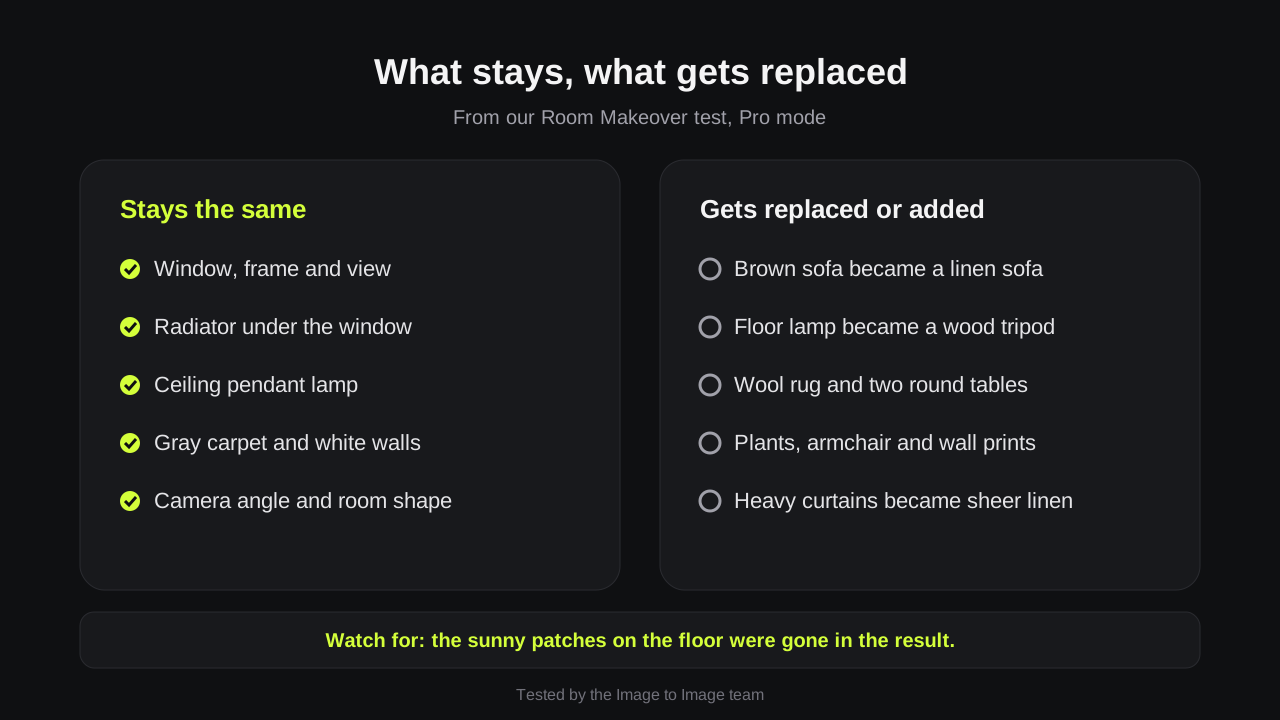
We compared the Room Makeover result with the original, item by item: five things stayed and five were replaced or added. The sunny patches on the floor were gone, so if light matters, say morning sun in your AI room design prompt.
Living rooms, bedrooms and home offices
Use AI living room design ideas before a move, try paint colors before you buy a can, or show a landlord a plan. AI room design also works on bedrooms, kitchens and home offices.
Prompts
AI room design prompt ideas
Paste one into the editor and change the room type. Keep the last sentence: it tells the AI room design what must not move.
Scandinavian living room
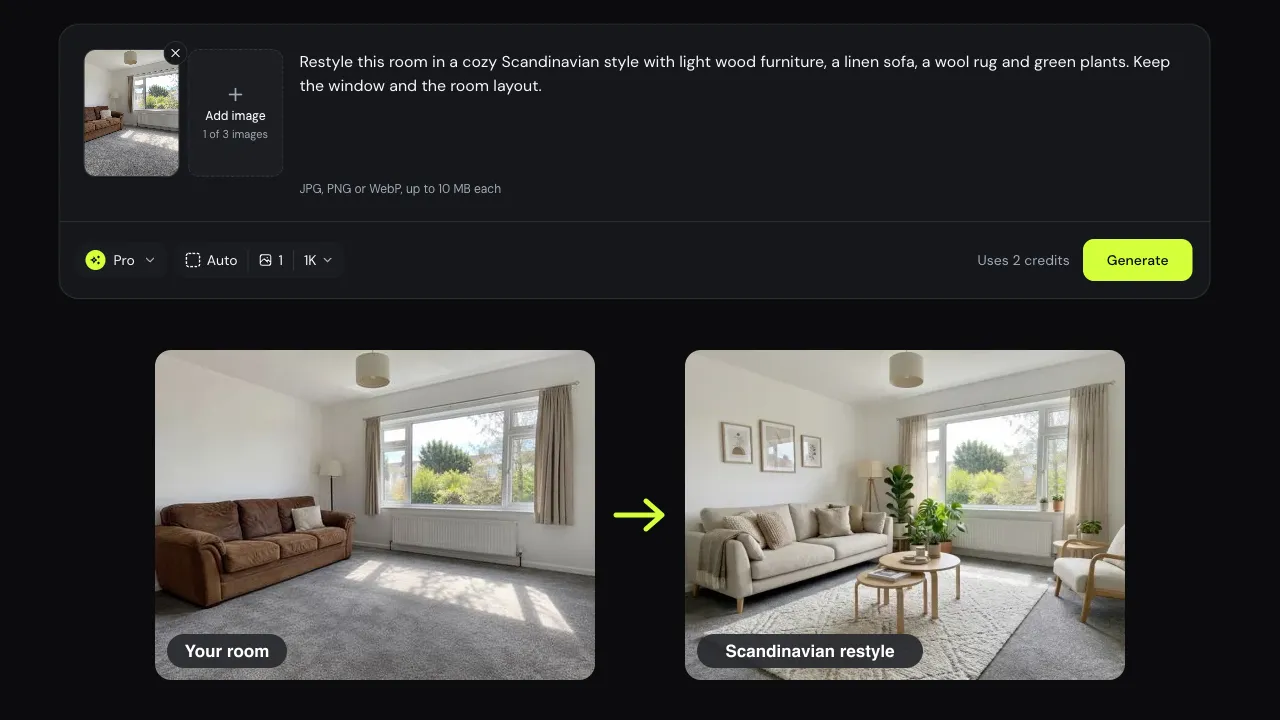
Restyle this room in a cozy Scandinavian style with light wood furniture, a linen sofa, a wool rug and green plants. Keep the window and the room layout.
Japandi bedroom
Turn this bedroom into a calm Japandi room with a low oak bed, beige linen and paper lamps. Keep the window, door and walls.
Home office
Make this corner a home office with a white desk, a green chair, shelves and a plant. Keep the window and the floor.
Furnish an empty room
Furnish this empty room as a modern living room with a gray sofa, a coffee table and a rug. Keep the walls, window and floor exactly as they are.
Tips
Tips for a believable AI room design
For AI room design, the photo matters more than the prompt.
Shoot in daylight
A bright, sharp photo gives AI room design more to keep. Dark corners get invented.
Name what must stay
List the fireplace, built-in shelves or floor if you want them kept.
Change one thing at a time
Choose Edit this result and ask for one change, such as a green sofa instead.
Good to know
How we tested and what to expect
Tested on November 14, 2026 by the Image to Image team.
Test
Room Makeover template, Pro mode, one daylight photo of a furnished living room.
Speed
Pro AI room design results took 25 to 44 seconds in our tests.
Cost
Fast uses 1 credit, Pro 2 and Pro HD 3. New accounts may get 2 free credits.
Not a floor plan
No measurements, no 3D model, and the furniture is drawn by AI, not real products.
Privacy
Uploads and results are deleted after 7 days.
FAQ
Questions about AI room design
Can I try AI interior design free?
Yes. New accounts may get 2 free credits while the daily allowance lasts, enough for one Pro AI room design or two Fast drafts. After that, credit packs start at $9.99 for 50 credits, with no subscription needed.
Will room redesign AI move my windows or walls?
In our AI room design test it did not: the window, radiator, ceiling lamp and room shape stayed. It can still change small things like curtains or light, so end your prompt with keep the window and room layout.
Can it furnish an empty room?
Yes. Tell the AI room design what furniture you want and ask it to keep the walls, window and floor. If you use AI room design to stage a home for sale, label the picture as virtually staged.
Can I buy the furniture in the picture?
No. AI room design draws furniture that looks right for the style; it does not pick real products. Use the picture as a mood board, then shop for pieces with the same color, size and material.
Does it work for kitchens, bedrooms or the outside of a house?
Yes. AI home design works the same way for any room or a front yard: upload the photo, describe the change, and list what must stay, such as cabinets, the roof or the front door.
Ready to see your room in a new style?
Upload one photo, pick Room Makeover, and get your AI room design in under a minute.