AI Pet Portrait That Still Looks Like Your Pet
Upload a photo of your dog or cat and get an AI pet portrait in cartoon, watercolor or painted style, same markings and pose.
JPG, PNG or WebP, up to 10 MB each
Examples
Start from a real AI pet portrait
Both cards are real AI pet portrait results from this editor: a corgi as a 3D animated character and a tabby cat painted in watercolor. Pick one to load its photo and prompt.
Want the painting style for any picture? Use photo to watercolor. Prefer anime? Try photo to anime, or open the image to image editor for anything else. Santa hat for the dog? Make an AI Christmas photo.
How it works
How to make an AI pet portrait in 3 steps
An AI pet portrait needs one sharp photo of your pet and one sentence about the style.
Pick a sharp photo
For an AI pet portrait, shoot at eye level with the eyes in focus and the whole head in the frame. JPG, PNG or WebP up to 10 MB.
Choose a style
Load 3D Cartoon Pet or Watercolor Painting, or write your own, such as a royal portrait in a velvet cape. Add keep its face, markings and collar.
Generate and compare
Drag the slider to check the face, then download the AI pet portrait or ask for one more change.
Results
Does the AI pet portrait still look like your pet?
Owners often say pet portrait AI tools return a cute dog, not their dog. We checked our AI pet portrait results against the original photos, feature by feature.
A corgi as a 3D movie character
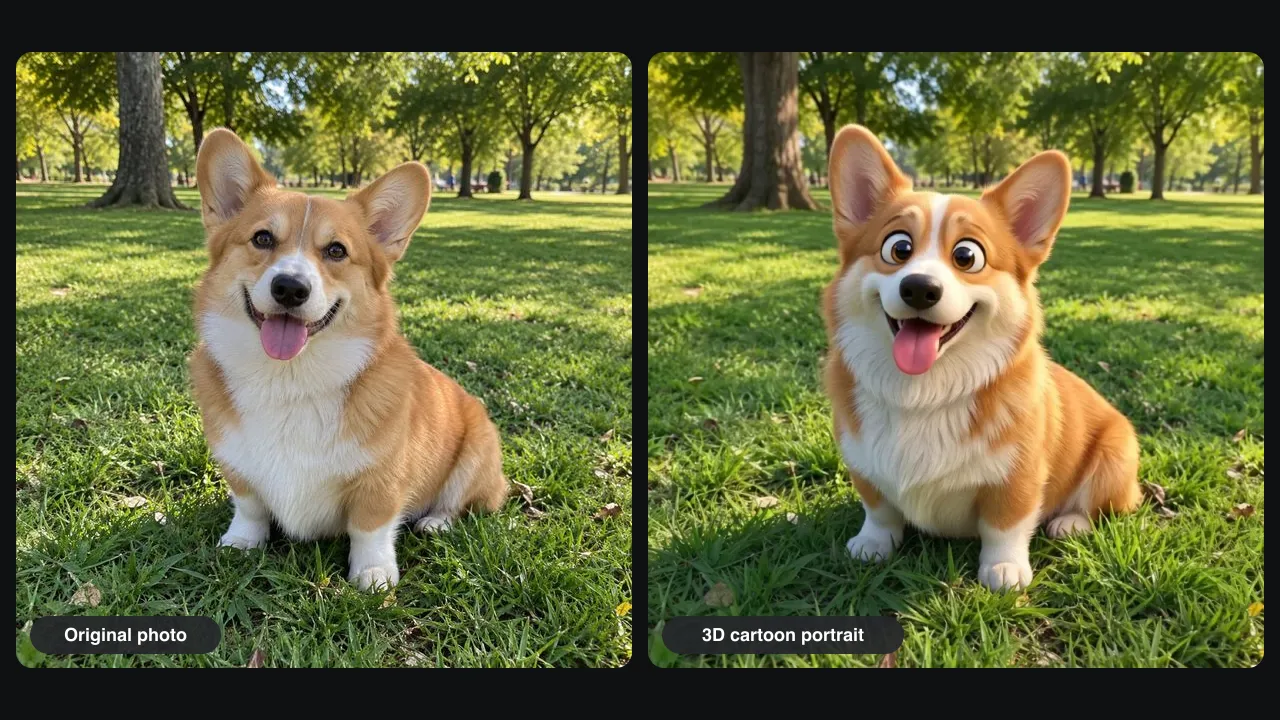
Our test photo was a corgi sitting on park grass with its tongue out. One Pro run gave an AI pet portrait in a 3D animated style: bigger, glossy eyes and softer fur, on the same lawn under the same trees.
Markings, ears and tongue stay
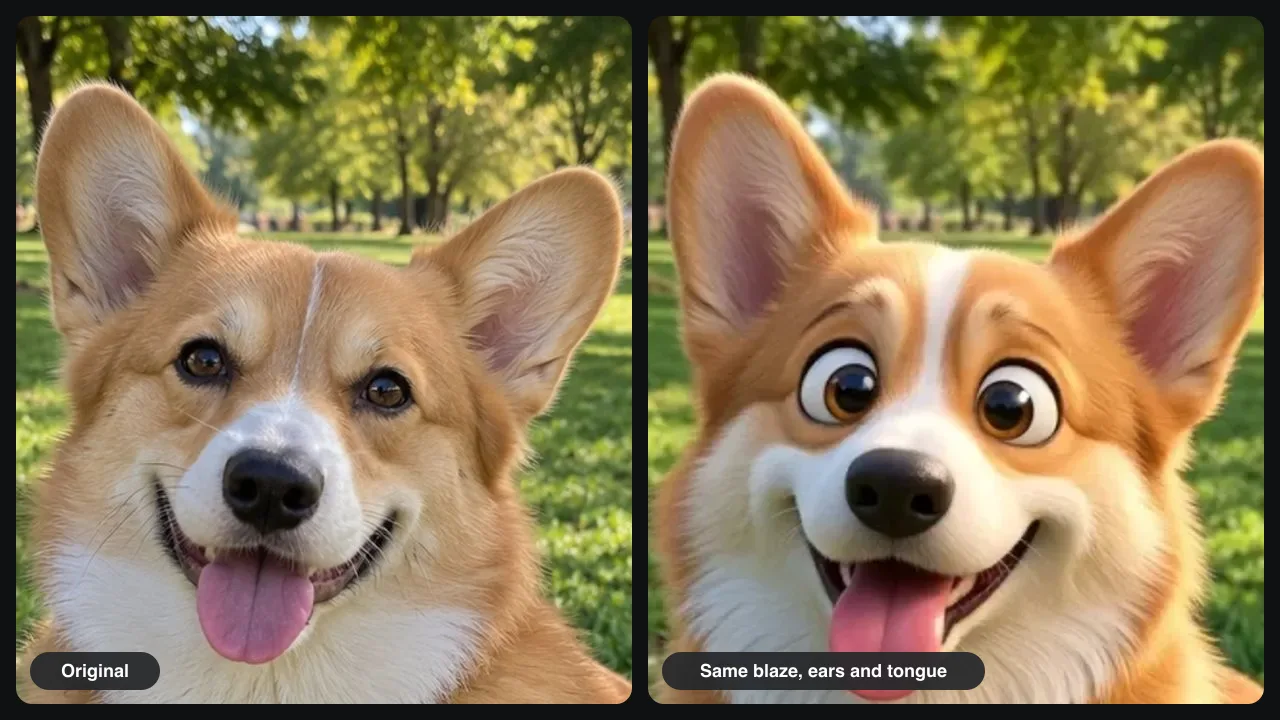
Side by side, the AI pet portrait kept the white blaze, now a little wider, the orange and white chest, the big ears and the pink tongue. This cartoon pet portrait redraws the eyes on purpose, to fit the style.
What we checked in two tests
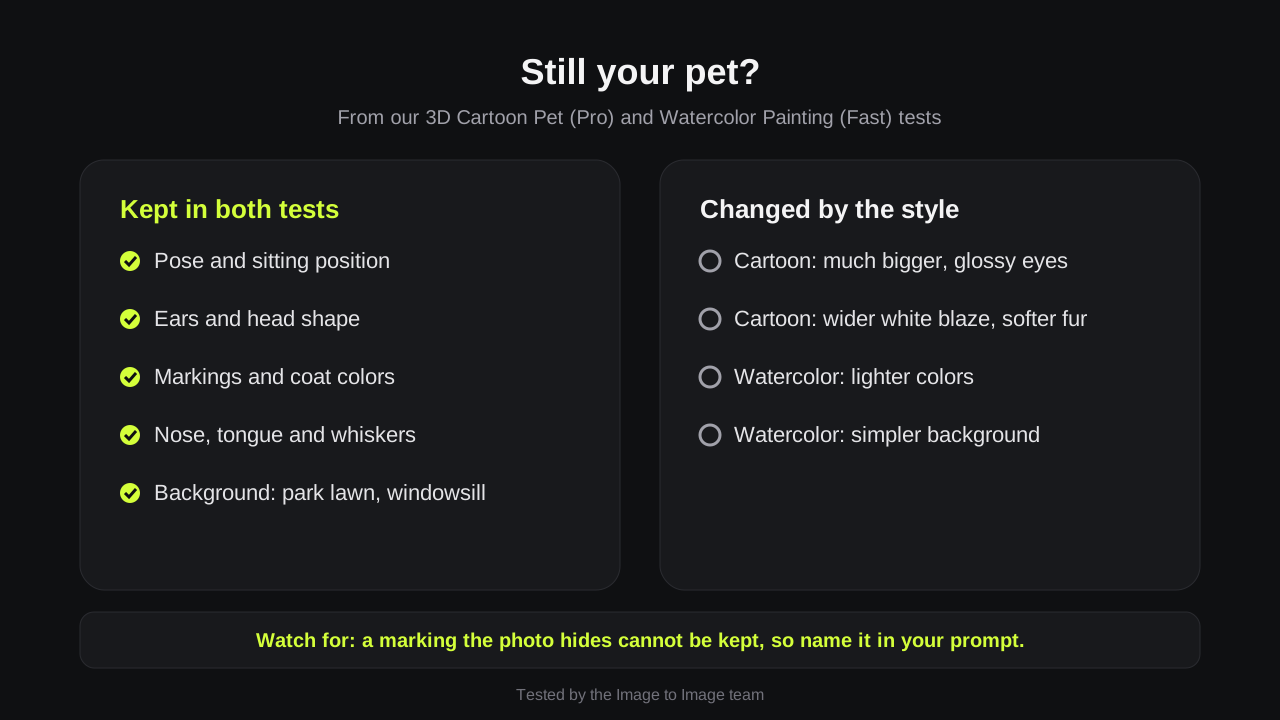
We compared both AI pet portrait templates with their photos, the corgi and a tabby cat. Pose, markings and background stayed in both. The cartoon made the eyes bigger; the watercolor lightened the colors and simplified the background.
Dogs, cats and other pets
A dog portrait from photo or a cat portrait takes the same steps, and rabbits or horses work too. Use the AI pet portrait as a phone wallpaper, a birthday card or a memorial print.
Prompts
AI pet portrait style ideas
Paste one into the editor and add your pet's details. The last sentence of each AI pet portrait prompt keeps the face.
Royal portrait
Paint my dog as a royal oil portrait in a red velvet cape with a dark gold background. Keep its face, markings and collar.
3D movie character
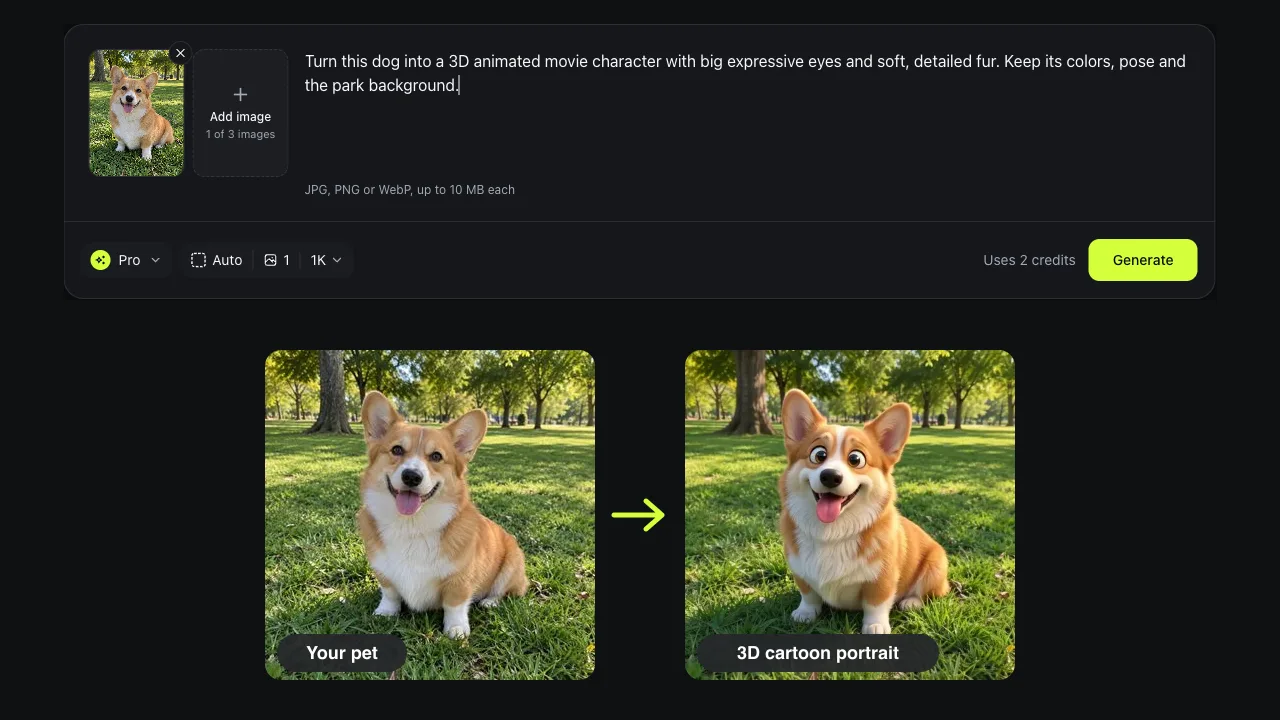
Turn this dog into a 3D animated movie character with big expressive eyes and soft, detailed fur. Keep its colors, pose and the park background.
Watercolor keepsake
Paint my cat as a soft watercolor on white paper with loose washes. Keep its eye color, stripes and pose.
Pop art
Turn my pet into bold pop art with halftone dots and bright colors. Keep its face and ears.
Tips
Tips for an AI pet portrait that looks like your pet
For an AI pet portrait, the photo decides more than the prompt.
Get down to eye level
Shoot from your pet's eye height; photos from above shrink the body.
Name the markings
Write what makes your pet yours: a white blaze, one floppy ear, a red collar.
Use daylight
Window light shows fur color best. In dark photos the colors get invented.
Good to know
How we tested and what to expect
Tested on November 15, 2026 by the Image to Image team.
Test
3D Cartoon Pet (Pro) and Watercolor Painting (Fast) templates, one dog photo and one cat photo.
Speed
Pro AI pet portrait runs took 25 to 44 seconds in our tests; Fast took about 14 seconds.
Cost
Fast uses 1 credit, Pro 2 and Pro HD 3. New accounts may get 2 free credits.
Not hand-painted
An AI pet portrait is a digital image, not a canvas from an artist, and each run is a little different.
Privacy
Uploads and results are deleted after 7 days.
FAQ
Questions about AI pet portraits
Can I make a pet portrait from photo for free?
Yes, to try. New accounts may get 2 free credits while the daily allowance lasts, enough for one Pro AI pet portrait or two Fast ones. After that, packs start at $9.99 for 50 credits.
Will it look like my dog or just a cute dog?
In our test the AI pet portrait kept the corgi's blaze, chest pattern, ears and pose. A marking the photo hides cannot be kept, so name the markings in your prompt.
Can I print the AI pet portrait or put it on a mug?
Yes. Generate in Pro HD for a 2K file, then send it to any print shop. At 300 dpi it prints at about 7 × 5 inches.
Is an AI pet photo the same as a custom painting?
No. An AI pet photo edit takes seconds and a few credits; a commissioned painting takes weeks and is one of a kind. Many owners try styles here before ordering one.
Can I make a memorial portrait of a pet that has passed?
Yes. Any clear photo works, even an old one. Ask for a soft background and keep its face and markings, then edit the AI pet portrait again until it feels right.
Ready to see your pet as art?
Upload one photo, pick a style and get your AI pet portrait in under a minute.