Photo to Watercolor That Keeps the Details You Love
Upload a pet, portrait or travel photo and photo to watercolor repaints it with soft washes and paper texture, keeping eyes and markings recognizable.
JPG, PNG or WebP, up to 10 MB each
Examples
Start from a real photo to watercolor result
Both cards are real photo to watercolor results from this editor. Watercolor Painting loads the cat photo and its Fast prompt; Ink and Wash Sketch shows a portrait in fine pen lines with a gray wash.
Want pencil lines instead? Try photo to sketch. Painting your dog or cat? Make an AI pet portrait, or open the image to image editor for any other style. Want a round avatar instead? Use the AI profile picture generator.
How it works
How to turn a photo into watercolor in 3 steps
Photo to watercolor needs one clear picture and one sentence about the painting you want.
Upload a clear photo
Pick a sharp picture for photo to watercolor: one main subject and soft light. JPG, PNG or WebP up to 10 MB.
Choose the look
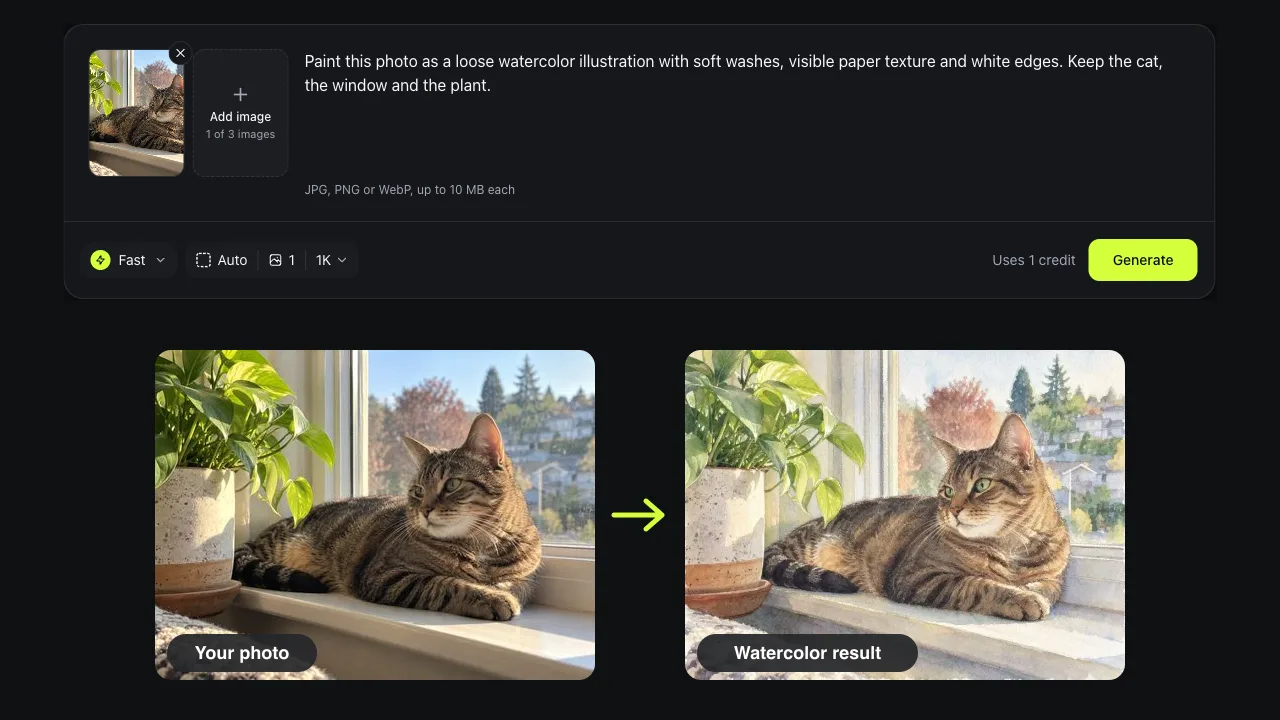
Load Watercolor Painting or describe your own, such as loose washes with ink lines. Say what must stay, like keep the cat and the window.
Generate and download
Fast uses one credit. Compare with the slider, then download your photo to watercolor result or ask for one more change.
Results
What photo to watercolor keeps and what it paints over
A watercolor filter blurs every pixel the same way. Photo to watercolor with AI paints the picture again as washes on paper, then keeps the parts you would recognize: eyes, markings and shapes.
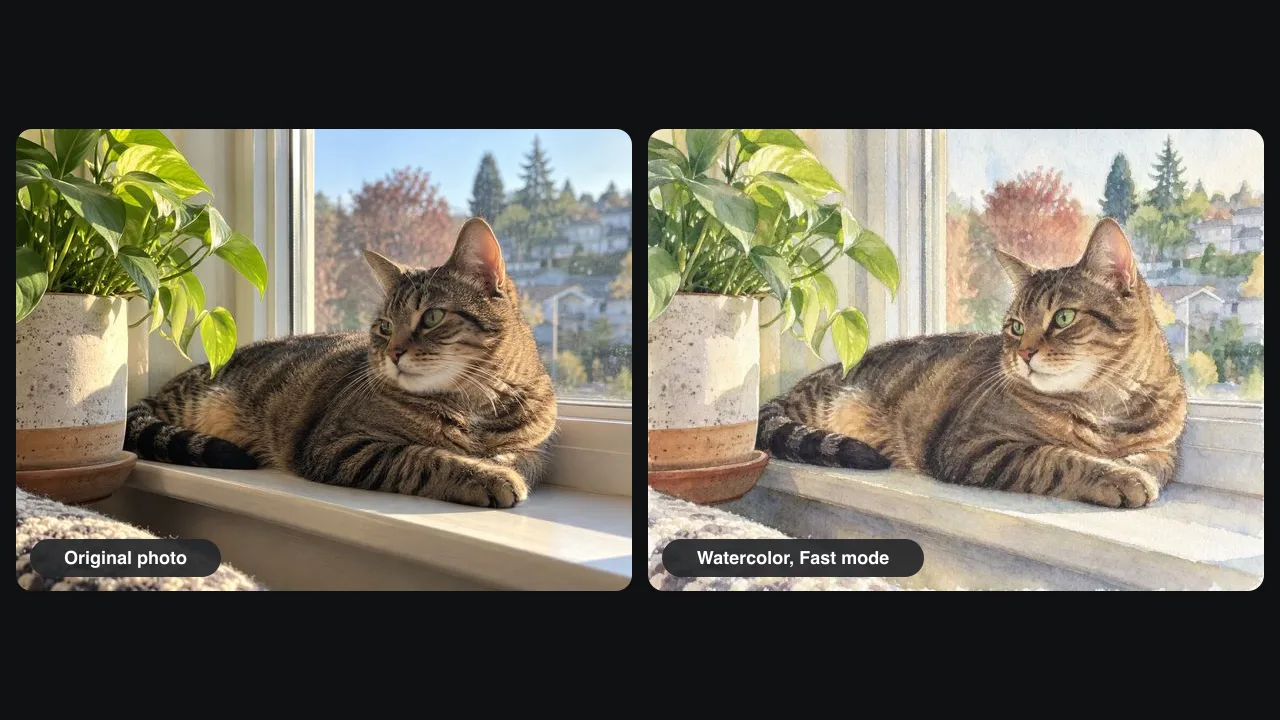
A tabby on a windowsill, painted
Our test picture was a tabby cat in autumn sun next to a pothos plant. One Fast run of photo to watercolor turned it into soft brown and green washes on textured paper, with white paper showing at the edges like a real painting.
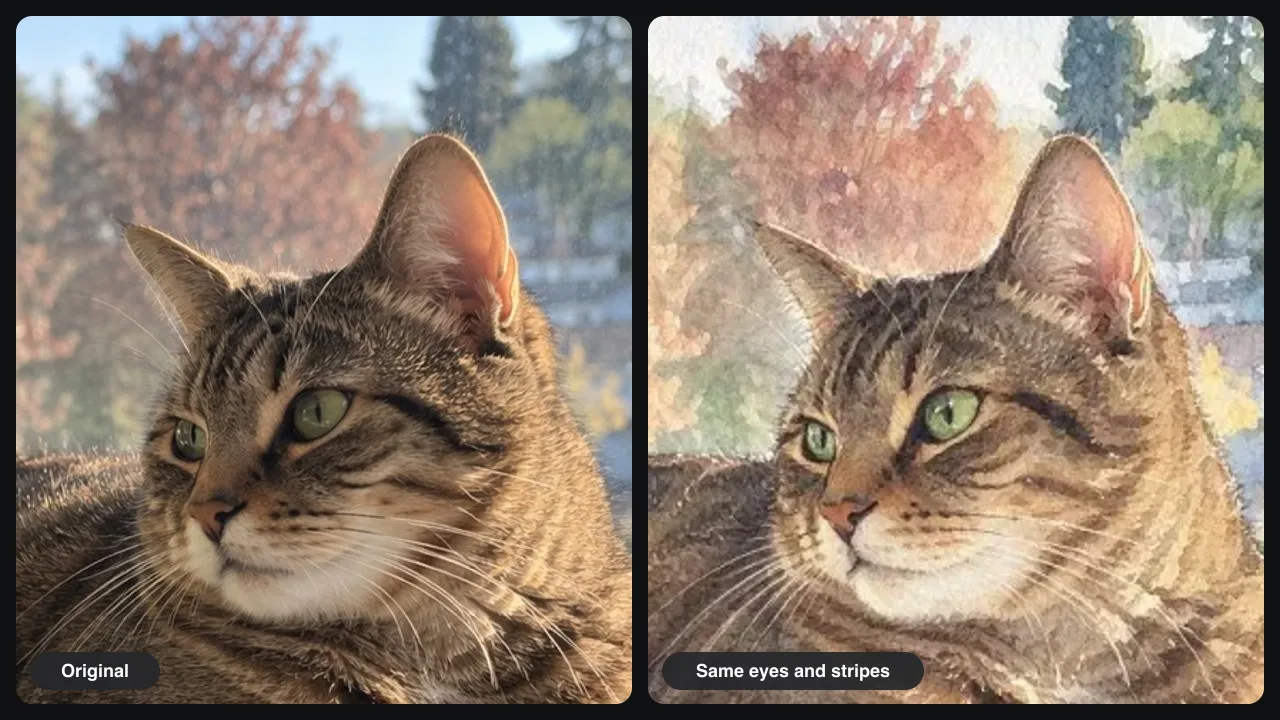
Green eyes and stripes stay
Up close in our photo to watercolor test, the green eyes, the stripes on the back and the white whiskers match the original. Image to watercolor tools that only filter tend to smear those details; here they came back as brush marks.
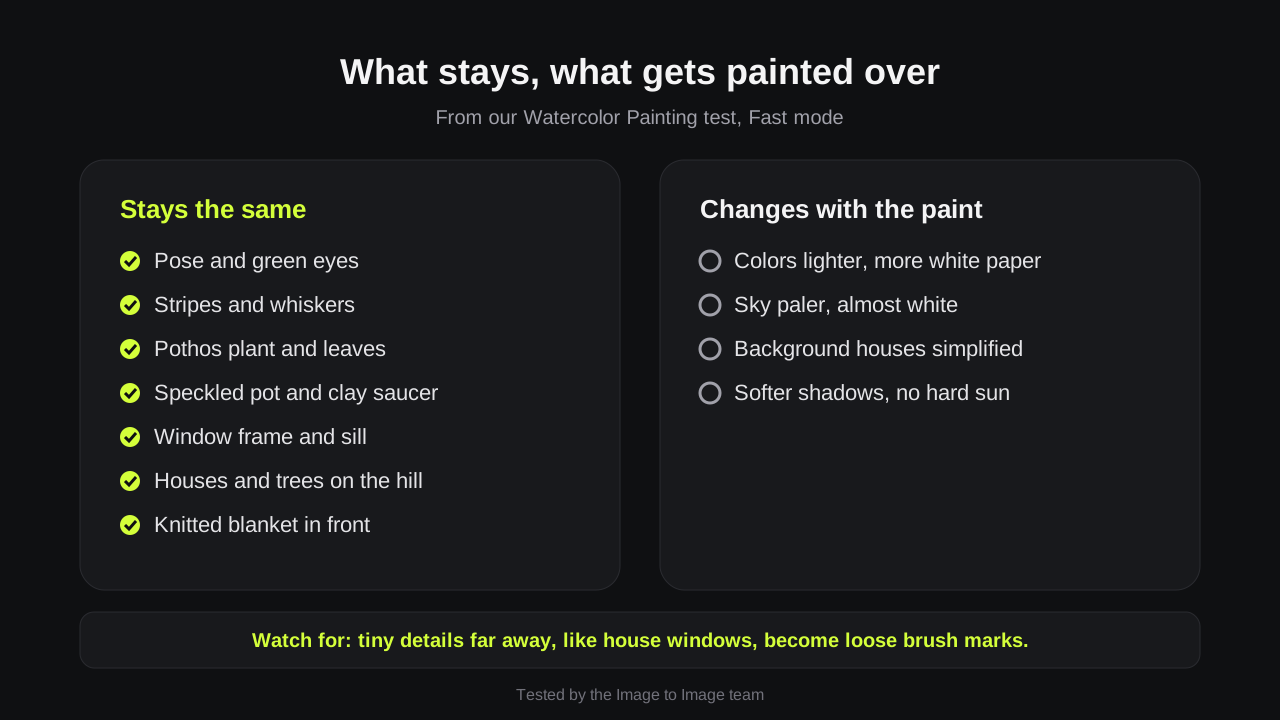
What we checked in our test
We compared the photo to watercolor result with the original, item by item. Seven things stayed, from the speckled pot to the houses on the hill. Four changed: lighter colors, a paler sky, simpler houses and softer shadows.
Pets, portraits and travel photos
Picture to watercolor works on pets, people, houses and landscapes. Use the photo to watercolor painting for a card, a framed print or a pet memorial, then edit it again for warmer colors.
Prompts
Photo to watercolor prompt ideas
Paste one into the editor to turn photo into watercolor art in one go. The last sentence of each photo to watercolor prompt says what must stay.
Loose watercolor
Paint this photo as a loose watercolor illustration with soft washes, visible paper texture and white edges. Keep the main subject and its colors.
Ink and wash
Redraw this photo with fine black ink lines and light watercolor washes, like a travel sketchbook. Keep the buildings and the street.
Pastel portrait
Turn this portrait into a soft pastel watercolor with a plain cream background. Keep the face, hair and expression.
House portrait
Paint this house as a detailed watercolor on cold-press paper with a light blue sky. Keep the windows, door and roof shape.
Tips
Tips for a better photo to watercolor painting
Watercolor paints big shapes first, so a simple photo works best.
Crop close
Fill the frame with the subject. In photo to watercolor, a small face far away turns into a few brush marks.
Pick soft light
Side light from a window gives the washes shape. A harsh flash gives flat colors.
Ask for paper
Words like cold-press paper, white edges or granulation keep the result from looking like a filter.
Good to know
How we tested and what to expect
Tested on November 15, 2026 by the Image to Image team.
Test
Watercolor Painting template, Fast mode, one 1200 × 900 photo of a cat by a window.
Speed
Fast photo to watercolor runs took about 14 seconds in our provider tests; Pro took 25 to 44 seconds.
Cost
Fast uses 1 credit, Pro 2 and Pro HD 3. New accounts may get 2 free credits.
Printing
Choose Pro HD for a 2K file if you plan to print larger than a postcard.
Limits
Each run is a little different, and small text may blur. Uploads and results are deleted after 7 days.
FAQ
Questions about photo to watercolor
Is there a free photo to watercolor converter?
Yes, to try. New accounts may get 2 free credits while the daily allowance lasts, enough for two Fast watercolor paintings. After that, credit packs start at $9.99 for 50 credits, with no subscription.
Is this a watercolor filter?
No. A watercolor filter changes edges and colors on top of your picture. Photo to watercolor with AI paints the scene again, so you get washes, paper and brush marks, while what you ask to keep stays.
Can I print a photo to watercolor painting?
Yes. Generate in Pro HD for a 2K file. At 300 dpi that prints at about 7 × 5 inches, and a canvas print can go larger.
Can I turn a picture to watercolor with two people or a pet?
Yes. Picture to watercolor works on couples, families and pets. Name who must stay, such as keep both faces and the dog's collar.
Does photo to watercolor work on phone photos?
Yes. Any JPG, PNG or WebP up to 10 MB works, including phone photos. Convert HEIC files to JPG first.
Ready to turn a photo into a painting?
Upload one picture, pick Watercolor Painting and see your photo to watercolor result right on this page.