Change Image Background with AI
Upload a photo, describe the background you want, and get a new picture with your subject, pose and lighting kept in place.
JPG, PNG or WebP, up to 10 MB each
Templates
Background templates to start from
Pick a template to fill in a tested prompt, then upload your own photo. You can change image background with any of them and edit the words before you generate.
How it works
How to change image background in 3 steps
To change image background with AI, you upload one photo and write a short prompt about the new scene. The editor keeps the person, pet or product from your photo and paints a new background around it, so you don't have to cut anything out by hand.
Upload your photo
Add a JPG, PNG or WebP image up to 10 MB. A clear subject with good light gives the cleanest result.
Describe the new background
Write what should appear behind your subject, such as a white studio, a marble counter or a beach at sunset, and say what must stay the same. You can also start from a background template below.
Generate and download
Pick Fast, Pro or Pro HD and press Generate. Most results are ready in 20 to 40 seconds. Compare before and after, then download the image or change image background again with a new prompt.
Features
Why change image background with a prompt
A background remover gives you a cutout. A prompt gives you a finished photo. When you change image background here, the new scene is drawn to fit the light, shadows and angle of your subject.
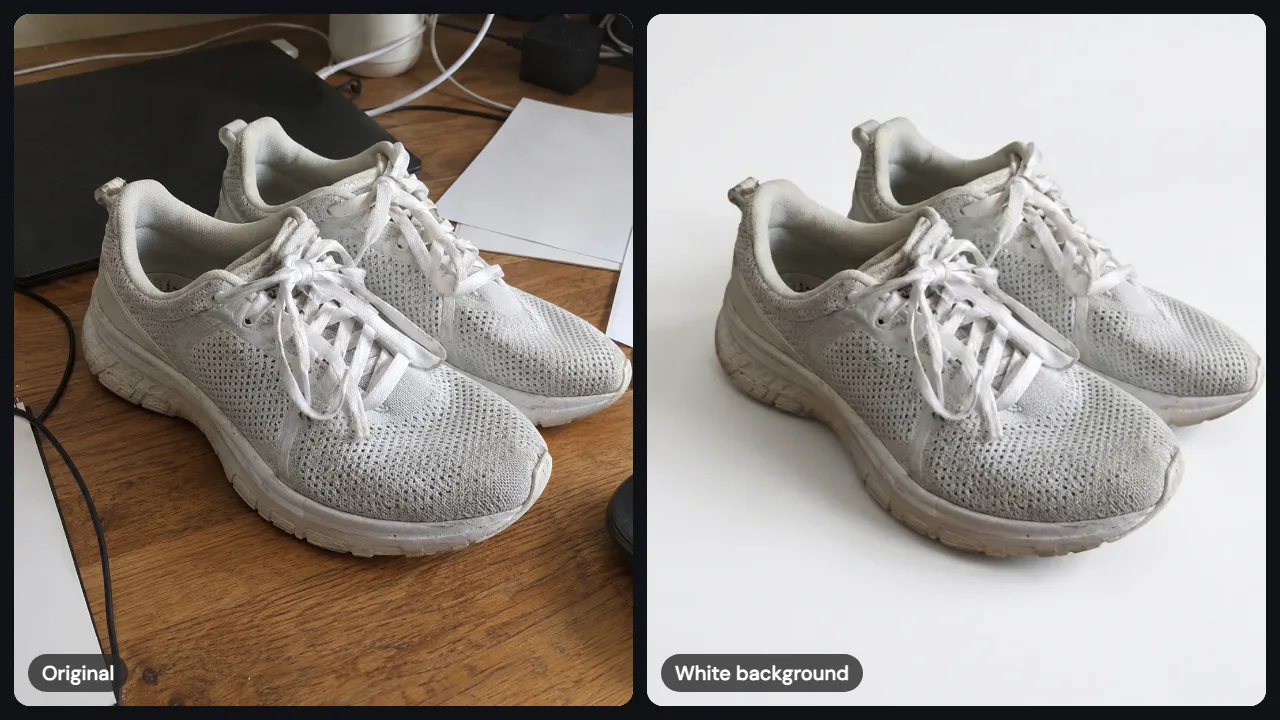
Put products on a clean white background
Online stores and marketplaces often ask for product photos on plain white, and many sellers need to change image background for dozens of items. Upload a phone shot of your item, ask for a white studio background with a soft shadow, and the sneakers, mug or bottle stay exactly as they were. It is the quickest way to get a clean listing photo without a light box or a photo studio.
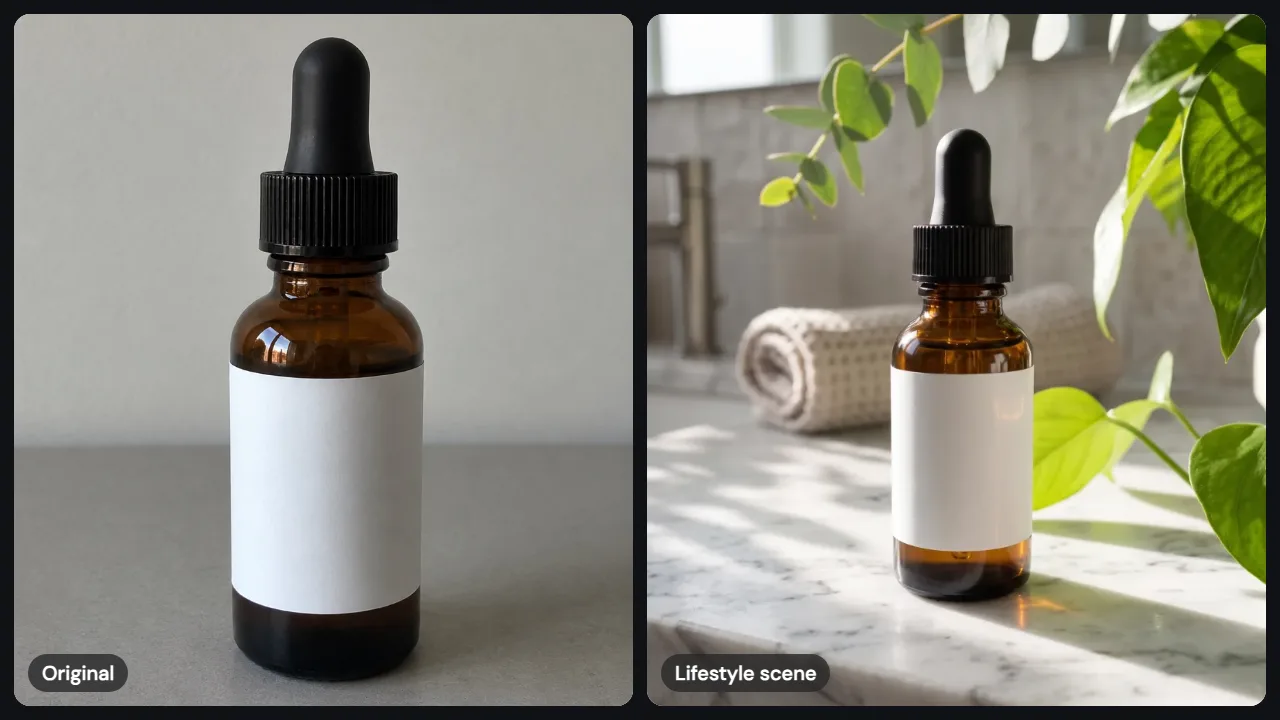
Build a lifestyle scene around your product
A plain table photo can become a sunlit bathroom counter, a kitchen shelf or a desk with plants. Describe the surface, the light and a few props, and the AI places your product in that scene with matching shadows. Use it to change image background for ads, social posts and product pages when a real photo shoot isn't practical.
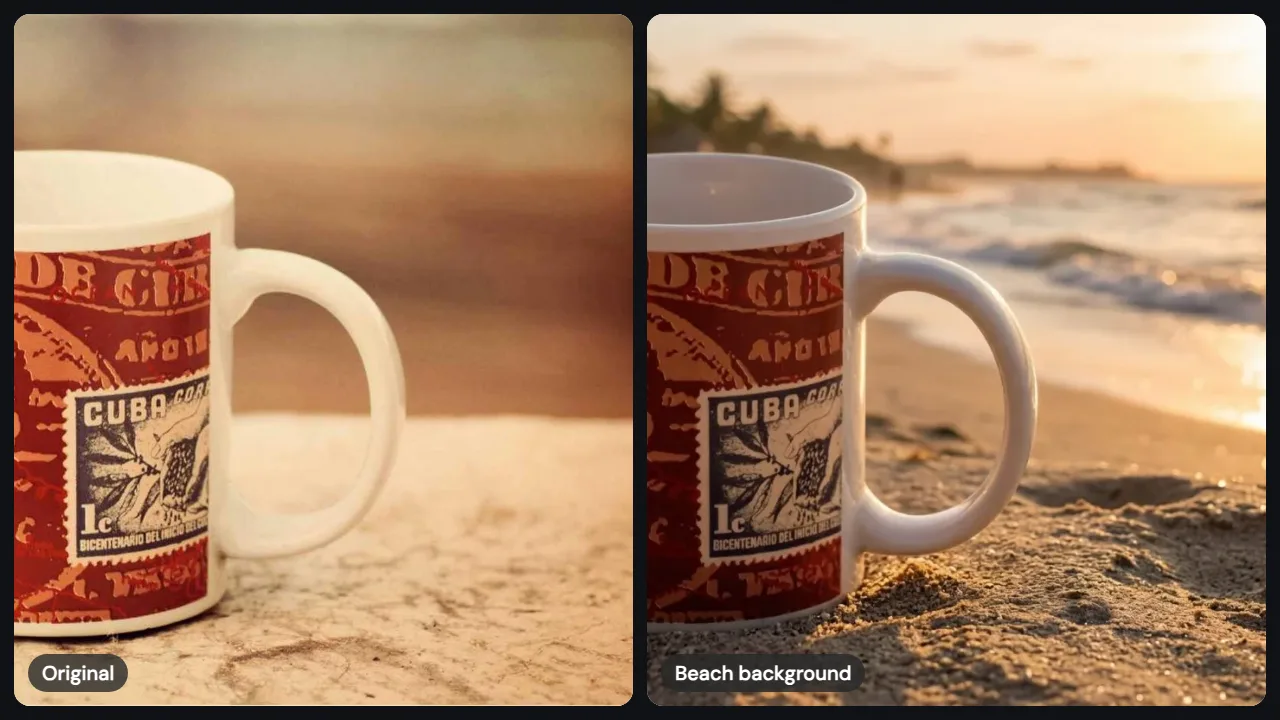
Move people and pets somewhere new
To change image background behind a person, swap a cluttered room for a beach at golden hour, a city street or a soft gradient backdrop. The editor keeps faces, hair, clothing and pose from your original, so the person still looks like themselves. You can change image background for profile photos, holiday cards and travel shots in the same way.
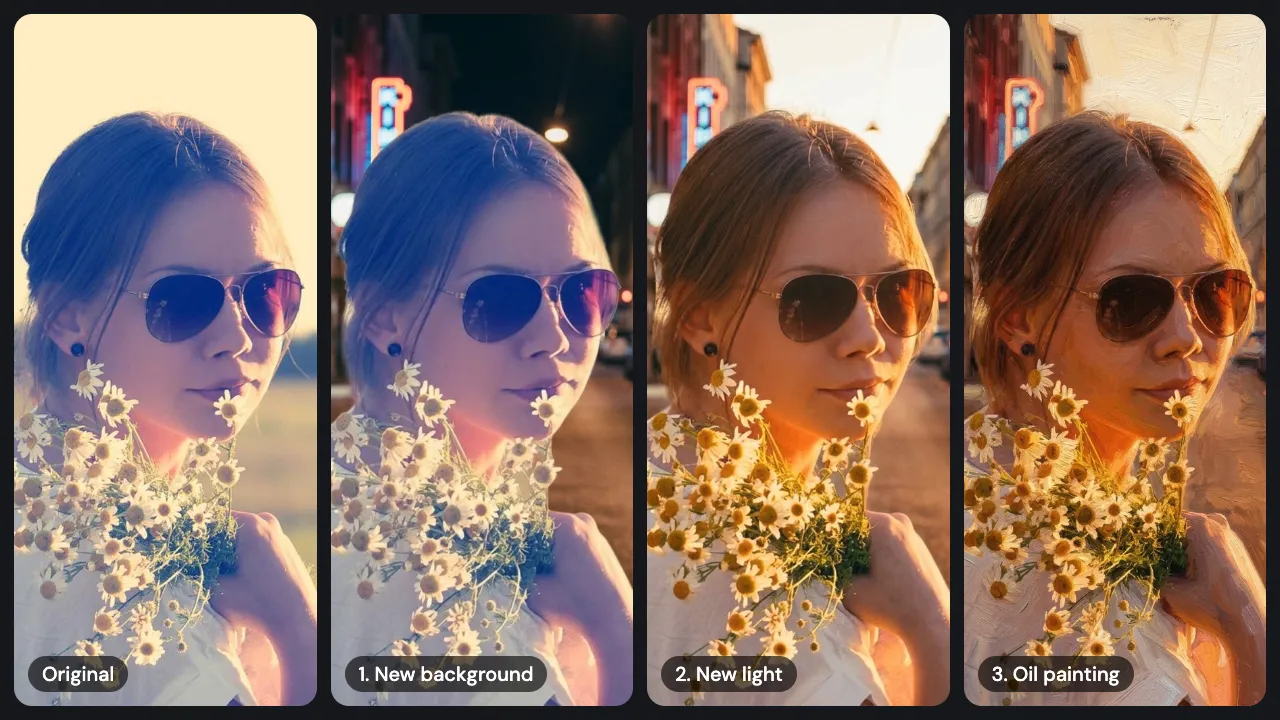
Keep editing until it looks right
If the first result is close but not quite there, choose Edit this result and write a follow-up such as warmer light or a little more blur behind the subject. Each step builds on the last image, so you can change image background, then adjust light and color without starting over.
Ideas
Prompt ideas to change image background
Copy one of these into the editor and swap in your own subject. Short, concrete prompts work better than long lists of adjectives.
Store listing
Change image background to pure white with a soft shadow under the product. Keep the product exactly as it is.
Kitchen scene
Put this mug on a wooden kitchen counter by a window with morning light and a plant in the corner.
Headshot
Change image background to a soft gray studio backdrop. Keep the face, hair and clothing unchanged.
Travel photo
Change image background to a quiet beach at sunset with warm light on the person.
Real estate
Keep the house and change the sky to clear blue with a few light clouds.
Seasonal post
Change image background to a cozy living room with holiday lights, and keep the dog as it is.
Tips
Tips for a cleaner result
A few habits make it easier to change image background on the first try.
Start with a sharp subject
Blurry edges are harder to keep, so use the clearest photo you have.
Say what stays
End your prompt with a line like keep the product exactly as it is.
Match the light
Ask for a background lit from the same side as your subject, such as soft light from the left.
Use a second image for a real place
Upload your photo plus a photo of the place, then ask the editor to change image background to match the second picture.
Pick the shape first
Set square for marketplaces, portrait for stories and landscape for banners before you generate, so nothing important gets cropped.
Good to know
What you can and can't do
Here is what to expect before you start with this tool.
Files
JPG, PNG and WebP, up to 10 MB each and up to 3 images per edit. Add a second image when you want a specific place or object in the new background.
Output
Square, portrait or landscape images. Pro HD saves at 2048 pixels for print and store listings.
Cost
Fast uses 1 credit, Pro uses 2 and Pro HD uses 3. New accounts may get 2 free credits to try it.
Privacy
Photos you upload to change image background are stored privately and deleted after 7 days, along with the results.
Not included
Transparent PNG cutouts. If you need an empty background with no scene, use a background remover instead.
FAQ
Questions about changing image backgrounds
How do I change image background without Photoshop?
Upload your photo to the editor at the top of this page, describe the new background in one or two sentences, and press Generate. You don't need to select the subject or draw a mask. The AI keeps the main subject and builds the new scene around it. You can change image background in a browser on a phone or a computer, and nothing needs to be installed.
Can I change image background to white for free?
Yes, to try it. New accounts may get 2 free credits, which covers two Fast edits or one Pro edit, while the daily allowance lasts. Choose the White Background Product Photo template, upload your picture and generate. After the free credits, credit packs start at $9.99 for 50 credits, and plans add credits every month.
Will my product or face change when the background changes?
The prompt asks the AI to keep the subject exactly as it is, and in most photos the product shape, logo and the person's face stay the same. Small details such as fine text on a label can shift slightly, so check the result before you use it. Pro follows instructions more closely than Fast, and you can try again at no extra cost if an edit fails.
What is the difference between changing and removing a background?
Removing a background deletes everything behind the subject and leaves a transparent cutout. When you change image background here, you get a complete new photo instead, with the subject placed in a scene that has matching light and shadows. Use a remover for design files that need transparency, and this editor when you want a ready-to-post picture.
How long does it take to change image background?
Most edits take 20 to 40 seconds. Pro HD and edits with three images can take a little longer. The result shows in the same place you uploaded your photo, next to the original, so you can compare them and download straight away. If an edit fails, the credits go back to your balance automatically.
Can I use the new image for my store or ads?
Yes. You can use the images you create for personal and commercial projects, including product listings and ads, as long as you have the rights to the photo you upload. Don't upload photos of other people without their permission, and check that any brand or artwork in the picture is yours to use.
Ready to change image background?
Upload a photo, describe the new scene, and change image background in under a minute.