Photo to Anime That Keeps Your Face and Pose
Upload a selfie or pet photo and get a clean anime illustration that keeps your pose, glasses, props and background.
JPG, PNG or WebP, up to 10 MB each
Templates
Start from a real photo to anime result
Every card is a real result from this editor. Choose Anime Portrait to load a sample photo to anime prompt, or try the 3D cartoon, pop art and plush toy looks.
Want a different look? Try photo to sketch for pencil and charcoal, use the white background photo editor for a clean headshot, or open the image to image editor for any style you describe. Making a holiday card? Try the Christmas card generator.
How it works
How to turn a photo to anime in 3 steps
The photo to anime converter needs a clear photo and one sentence; the template writes it for you.
Upload a clear photo
JPG, PNG or WebP up to 10 MB. A sharp face with even light gives the most faithful photo to anime result.
Choose the anime look
Pick the Anime Portrait template or write your own prompt, such as soft 90s anime with pastel colors, ending with keep the same person and pose.
Generate, compare and download
Drag the slider to compare, then download the photo to anime image or keep editing it.
Results
Anime art that is still your photo
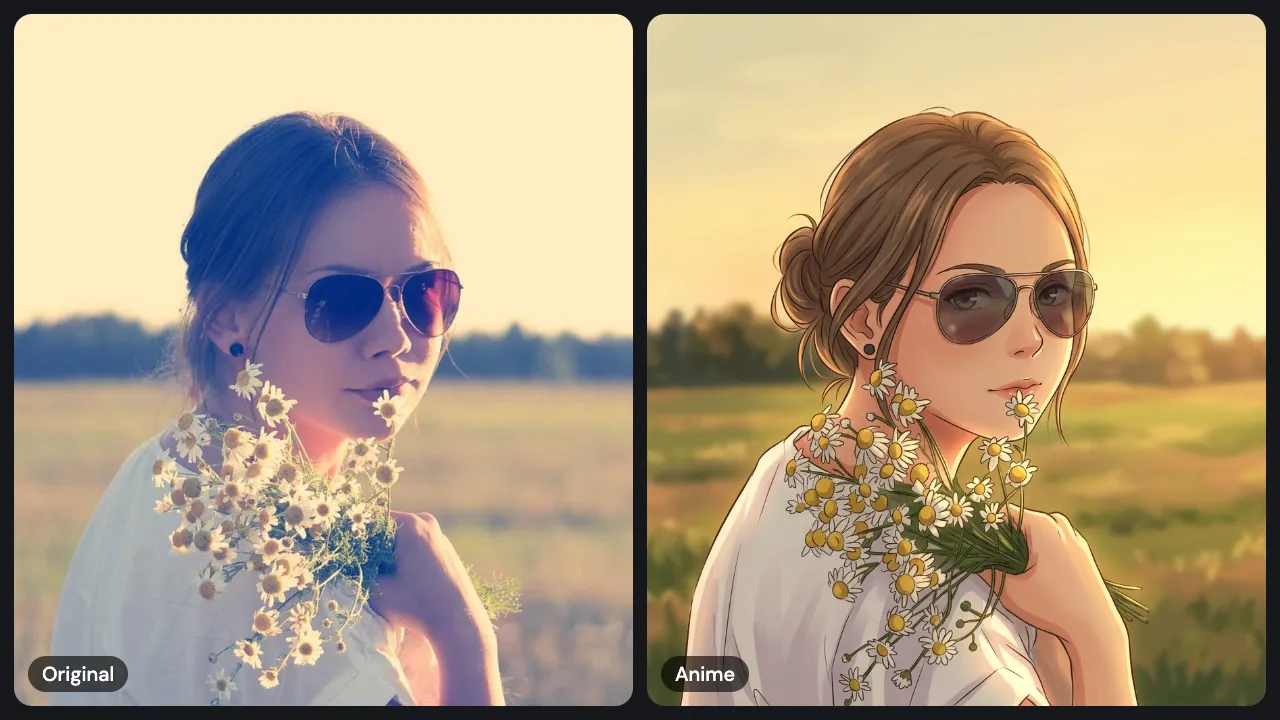
An anime filter repaints the colors of a photo. This photo to anime tool redraws the whole picture, so you get real line art and cel shading while the person, pose and setting stay in place.
The person, pose and props stay
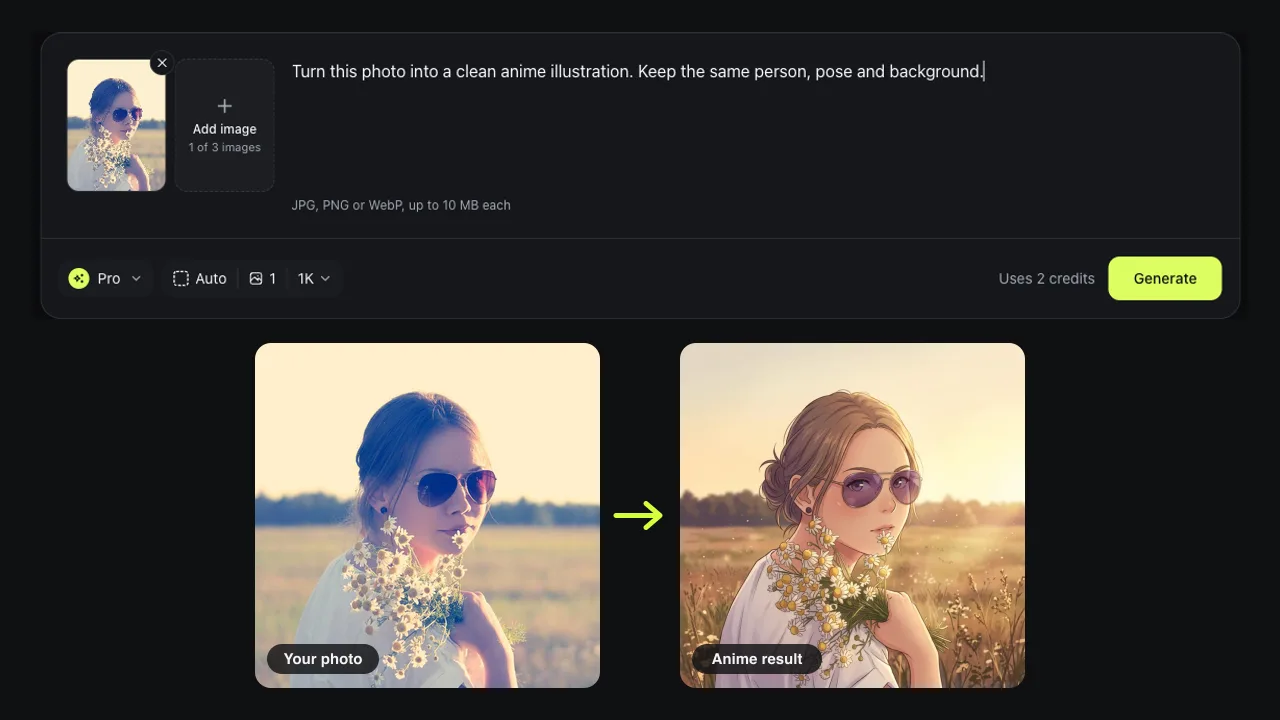
In our photo to anime test the woman kept her aviator sunglasses, small earring and the daisies in her hand. The field and low sun behind her came through as a painted background. That is the difference between image to anime and a random anime generator: you can tell it is the same photo.
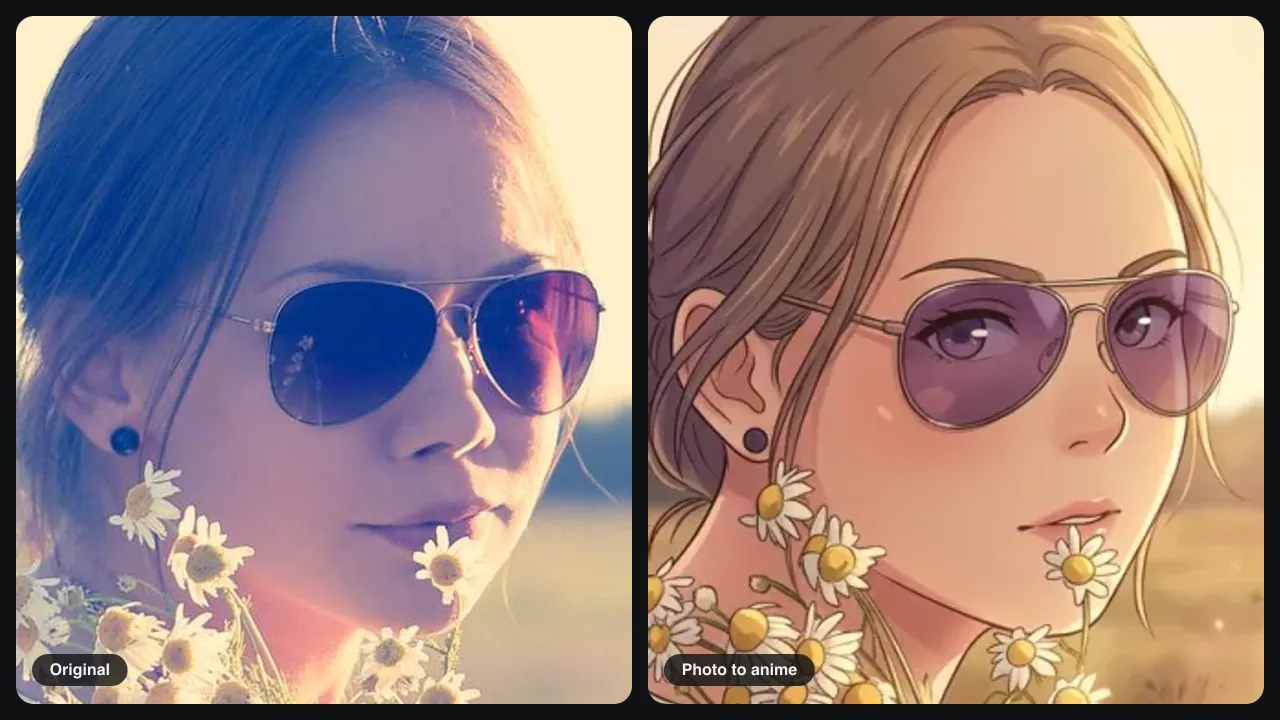
Up close: what the AI adds
Zoom in and the photo to anime result is a new drawing. Skin and hair turn into flat cel shading with clean outlines. Where dark lenses hid her eyes, the AI drew eyes behind them, and backlit dark hair turned light brown. If a detail matters, name it in the prompt.
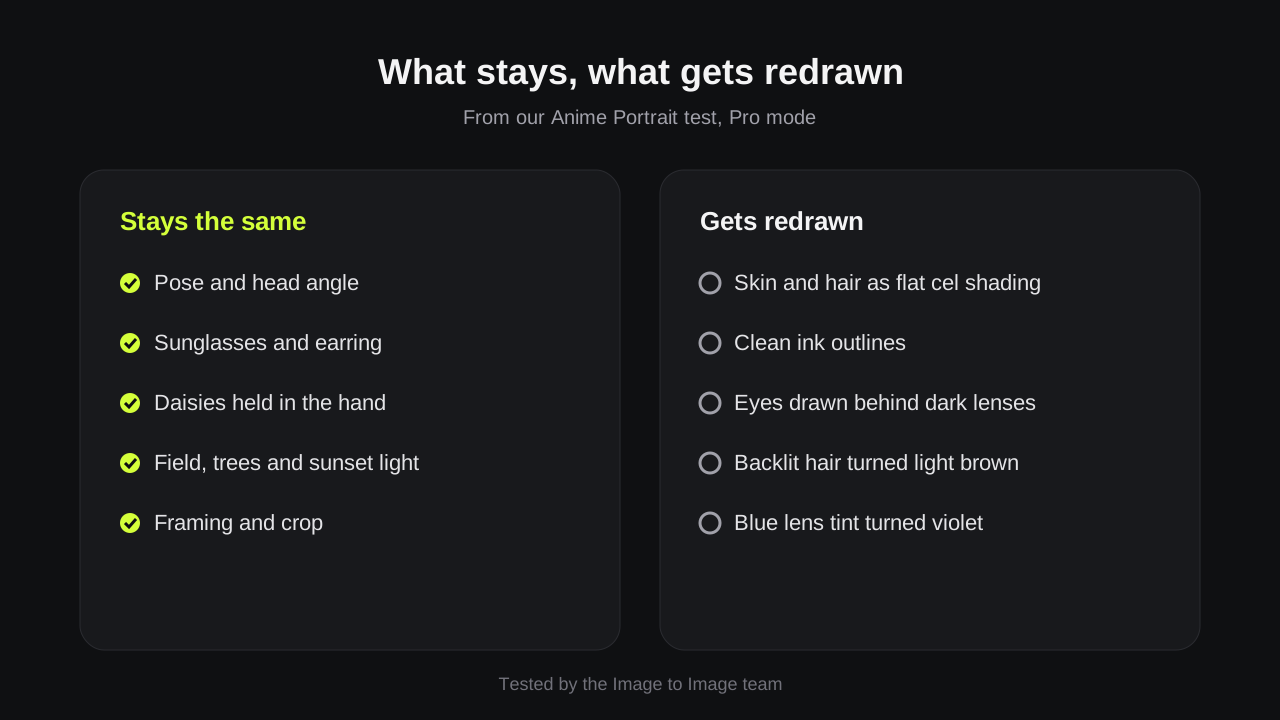
What we checked in our test
We ran the Anime Portrait template in Pro mode on a 1024-pixel portrait and compared it with the original. Five things carried over and five were redrawn. Use the list to decide what to spell out in your own photo to anime prompt.
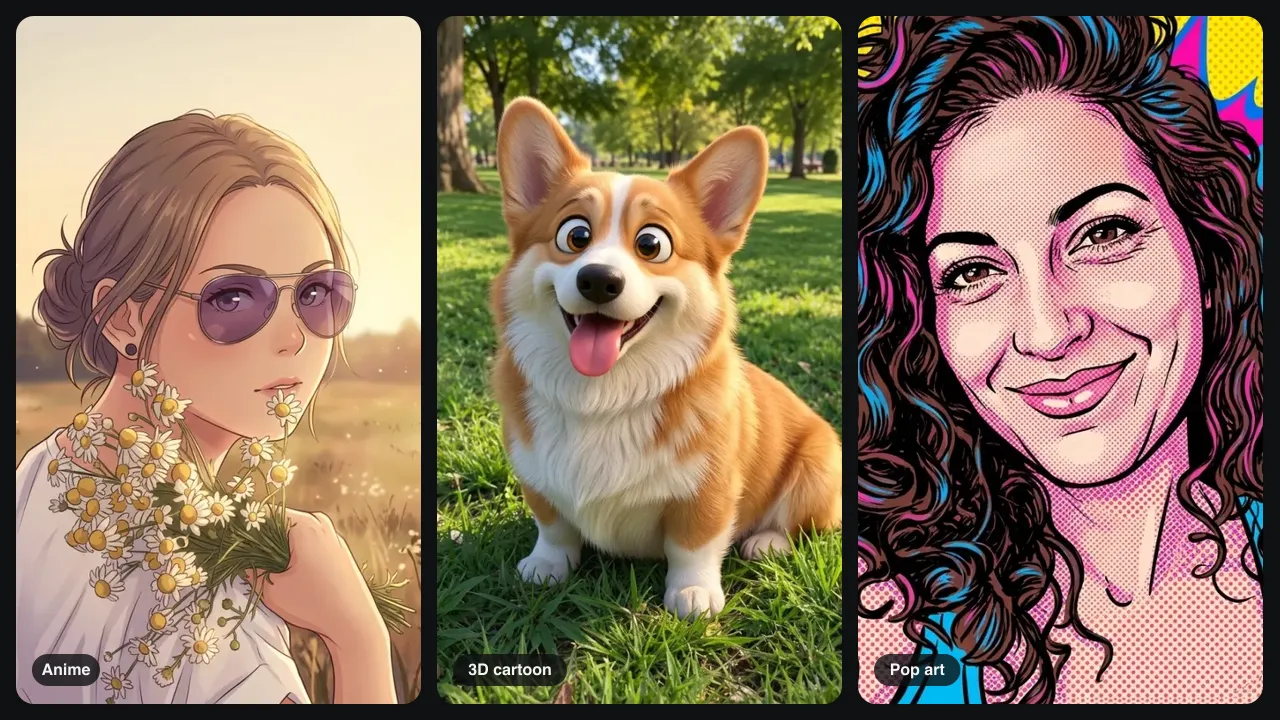
Anime, 3D cartoon or pop art?
Anime means flat colors, ink lines and big expressive eyes. A 3D cartoon looks like an animated movie with soft fur and depth, and pop art uses halftone dots and bold outlines. All three came from this editor, so if photo to anime is not quite the look, switch the template.
Change one thing at a time
Choose Edit this result and write one sentence: make it 90s anime, add a school uniform, or turn the sky pink. Each edit starts from your last photo to anime image, so you never start over from the original.
Ideas
Photo to anime prompt ideas
Use these to turn photo to anime art in one go. Keep the last sentence: it tells the AI what must not change.
Classic portrait
Turn this photo into a clean anime illustration with soft cel shading. Keep the same person, pose and background.
Pet to anime
Turn my cat into an anime character with big shiny eyes and simple shading. Keep its fur pattern and collar.
Couple or friends
Turn this photo of two people into an anime scene. Keep both faces, their clothes and the background.
Anime avatar
Make a square anime avatar of this person from the shoulders up on a plain pastel background. Keep the glasses.
Tips
Tips for a cleaner anime result
For a photo to anime edit, a better photo helps more than a long prompt.
Show the eyes
Sunglasses or hair over the eyes make the AI invent them. Pick one where the eyes show if they must match.
Use soft, even light
Strong backlight shifts hair and skin colors in a photo to anime result. Daylight from the front keeps them closer.
Crop to the subject
A face that fills the frame keeps more detail in a photo to anime result than a small face in a wide shot.
Good to know
How we tested and what to expect
Tested on November 13, 2026 by the Image to Image team.
Test
Anime Portrait template, Pro mode, one 1024-pixel portrait with sunglasses and flowers.
Speed
Pro photo to anime results took 25 to 44 seconds in our tests.
Cost
Fast uses 1 credit, Pro 2 and Pro HD 3. New accounts may get 2 free credits.
Limits
Hidden details get invented, colors can shift in strong backlight, text gets redrawn, and each run is a little different.
Privacy
Uploads and results are deleted after 7 days.
FAQ
Questions about photo to anime
Can I turn a photo to anime for free?
Yes, to try it. New accounts may get 2 free credits while the daily allowance lasts, which covers two Fast results or one Pro photo to anime result. After that, credit packs start at $9.99 for 50 credits.
Is this an anime filter or an AI redraw?
An anime filter changes colors and edges on top of your photo. This photo to anime tool redraws the picture with new line art and shading, then keeps what you asked it to keep.
Can I turn a picture to anime with my pet or a group?
Yes. Picture to anime works on cats, dogs and photos with two or three people. Name everyone and everything that must stay, such as keep both faces and the dog's collar.
Will the photo to anime converter keep my glasses and clothes?
In our test it kept aviator sunglasses, an earring and a white top. It also drew eyes behind dark lenses and changed hair color in backlight, so check the details and edit once if needed.
Can I use my anime picture as a profile photo or print it?
Yes. Use your photo to anime picture as an avatar or banner. Pro HD saves at 2048 pixels, which prints well up to A4. Only upload photos you own or may edit.
Ready to turn your photo to anime?
Upload a picture, pick Anime Portrait, and get your photo to anime result in under a minute.