Christmas Card Generator That Turns Your Photo into the Card
Upload a family, couple or pet photo and this Christmas card generator returns a holiday card with snow, lights, scarves and your greeting.
JPG, PNG or WebP, up to 10 MB each
Examples
Start from a real Christmas card result
Both cards are real Christmas card generator results. Holiday Card loads a sample prompt for a snowy card, and Summer to Winter shows the idea on a house.
Want an anime-style card? Run photo to anime first. Decorating for the holidays? Preview the living room with AI room design, or open the image to image editor for any other edit. Hand-painted look? Try photo to watercolor. A card for the dog? Start with an AI pet portrait. Photo only? Make an AI Christmas photo.
How it works
How to make a Christmas card from a photo in 3 steps
The Christmas card generator needs one photo and one sentence. The Holiday Card template writes the sentence for you.
Upload your photo
JPG, PNG or WebP up to 10 MB. Everyone's face should be sharp and facing the camera.
Pick Holiday Card in the Christmas card generator
Or say what to add, such as snow, lights or a red border, and the short greeting to write. End with keep every face the same.
Generate, check and download
Compare with the slider, read the greeting letter by letter, then download or edit again.
Results
What the Christmas card generator adds and keeps
A template card maker puts your photo inside a frame. This AI Christmas card generator redraws the photo itself, so the snow, lights and scarves sit in the same light as the people.
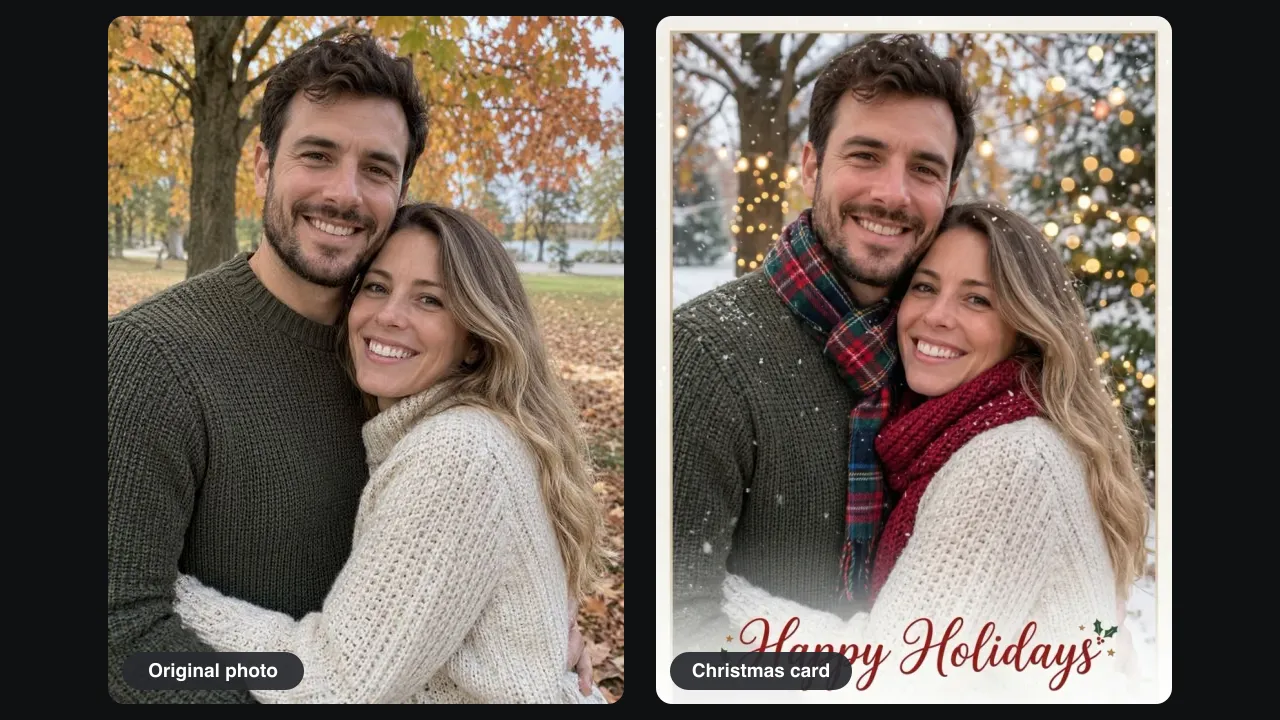
From a fall photo to a snowy card
Our test photo was a couple hugging in a park full of orange leaves. One Pro run of the Christmas card generator turned the park snowy, hung string lights on the tree, added a lit pine and framed it all as a card. This is a Christmas card from photo you already have, not stock art.
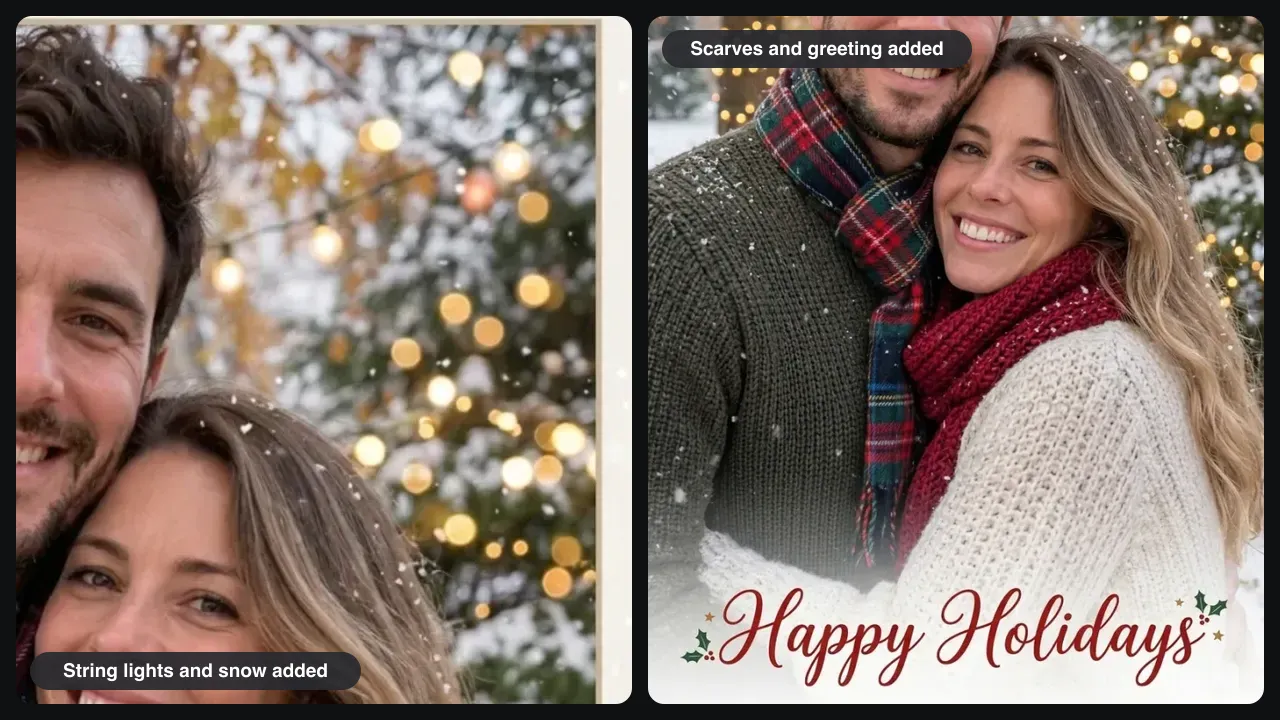
Scarves, lights and a greeting spelled right
Zoom in on the Christmas card generator result: the faces, smiles and both knit sweaters match the original. The AI added a plaid scarf and a red knit scarf that fit the poses. The greeting Happy Holidays came out in red script with holly, every letter correct.
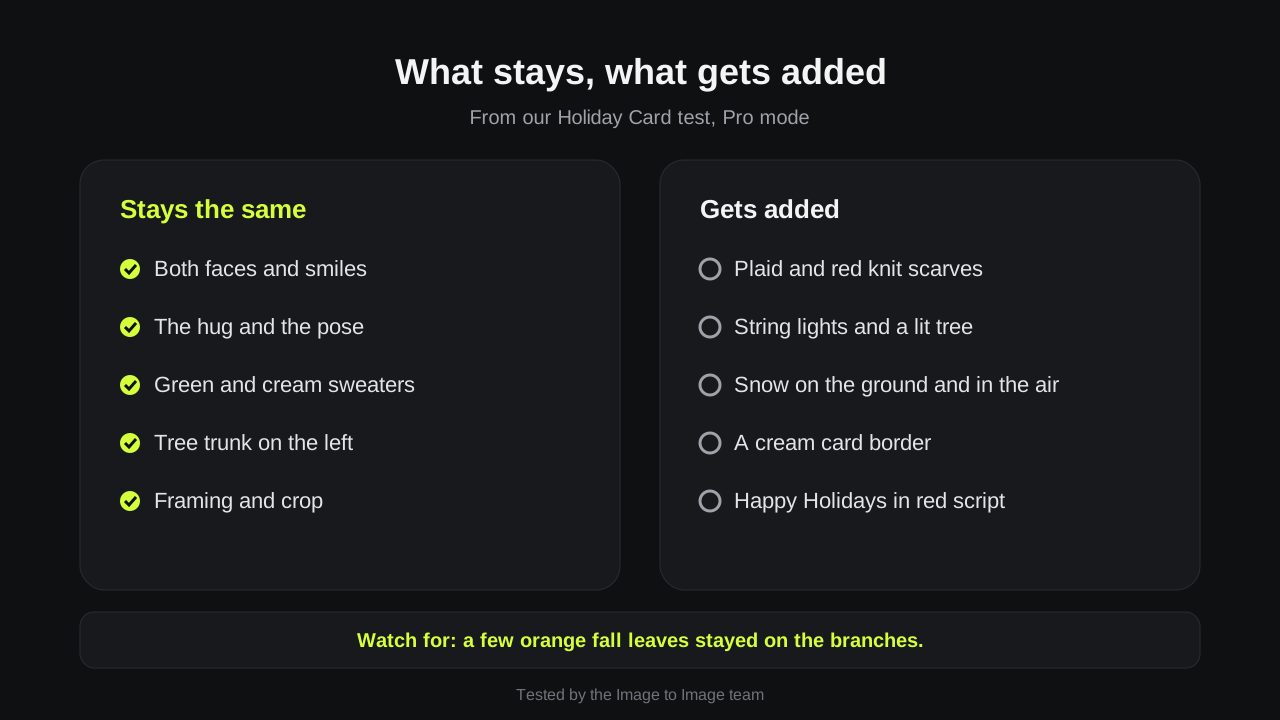
What we checked in our test
We compared the Holiday Card result with the original, item by item: five things stayed and five were added. A few orange fall leaves stayed on the branches, so name the season you want in your Christmas card generator prompt.
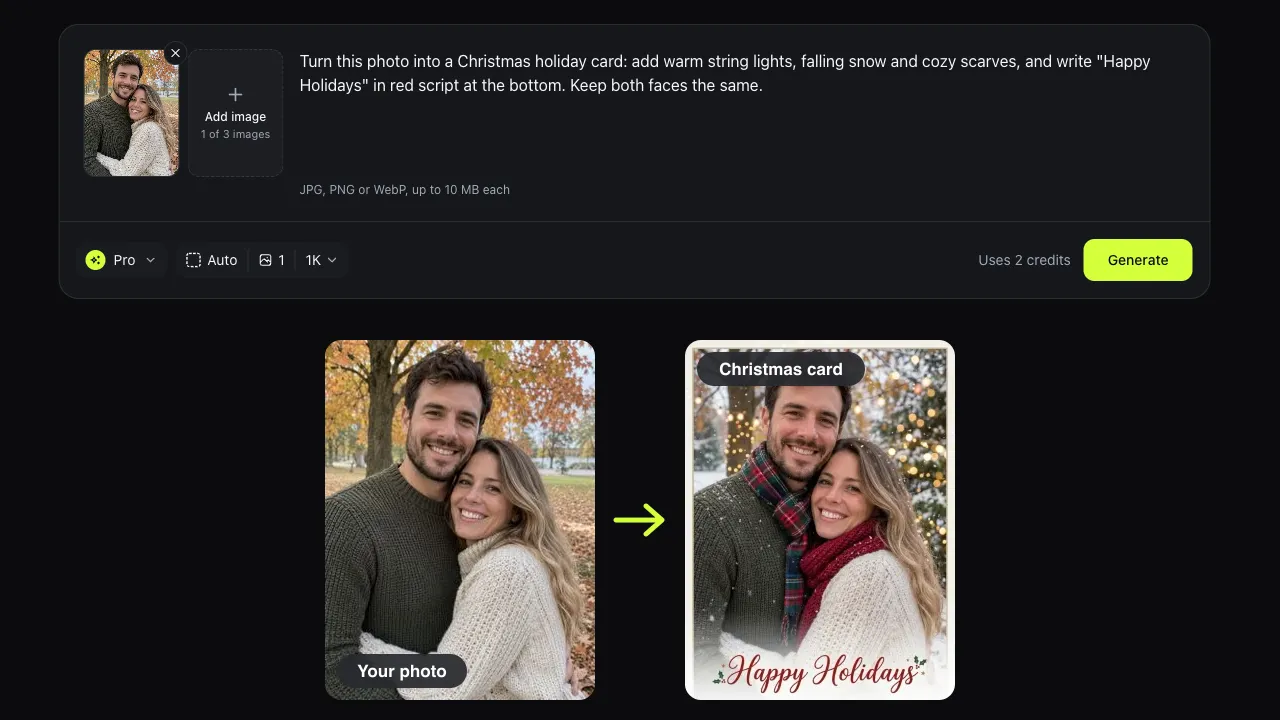
Cards for families, couples and pets
Use the Christmas card generator for the family card, a card from the dog, or a quick AI Christmas card for coworkers. Unlike a Christmas photo editor that only adds stickers, the Christmas card generator can change the season, the clothes and the light.
Prompts
Christmas card generator prompt ideas
Paste one into the Christmas card generator and change the greeting. Keep the last sentence: it tells the AI what must not change.
Snowy family card
Turn this photo into a Christmas card with falling snow and warm string lights. Write Merry Christmas in red script at the bottom. Keep every face the same.
By the tree
Put this family in a cozy living room next to a decorated Christmas tree. Keep their faces, clothes and pose.
From the pet
Put a small red Santa hat and a plaid scarf on my dog, add snow in the background and write Happy Howlidays. Keep its fur and face.
New Year card
Turn this photo into a New Year card with gold confetti and a night sky. Write Happy New Year at the top. Keep both faces.
Tips
Tips for a card you can send
A Christmas card generator result depends on the photo and the greeting length.
Keep the greeting short
Two to four words come out clean. Add a long message in another app.
Pick the card shape first
Before you run the Christmas card generator, choose 3:4 or 2:3 in image settings for a portrait card, or 3:2 for a wide shot.
Use a photo with clear faces
Small, blurry or turned-away faces are more likely to change in the Christmas card generator. Crop closer first.
Good to know
How we tested and what to expect
Tested on November 14, 2026 by the Image to Image team.
Test
Holiday Card template, Pro mode, a portrait of two people in a fall park.
Speed
Pro Christmas card generator results took 25 to 44 seconds in our tests.
Cost
Fast uses 1 credit, Pro 2 and Pro HD 3. New accounts may get 2 free credits.
Printing
Pro HD saves at 2048 pixels, enough for a 5x7 inch card.
Limits
Long text can come out misspelled, small faces can change, and each run is a little different.
Privacy
Uploads and results are deleted after 7 days.
FAQ
Questions about the Christmas card generator
Is the Christmas card generator free?
You can try the Christmas card generator free. New accounts may get 2 free credits while the daily allowance lasts, which covers one Pro card or two Fast drafts. After that, credit packs start at $9.99 for 50 credits.
Can I make a Christmas card from a photo of my family or pet?
Yes. Upload the photo to the Christmas card generator and say who must stay the same, such as keep all four faces and the dog's collar. In a big group shot each face is small, so check every face before you send it.
Can it write Merry Christmas or our family name?
Yes, put the exact words in quotes in your Christmas card generator prompt. Long sentences and unusual names can get a wrong letter, so read the card and use Edit this result to fix it.
Can I print the card or send it by text?
Both. Download the image from the Christmas card generator and send it by text, email or social media, or print it at home or at a photo shop. We do not sell printed cards.
How is this different from a Christmas card maker with templates?
A holiday card maker places your photo inside a fixed design. This Christmas card generator changes the photo itself: it adds snow, lights and scarves, then writes the greeting into the picture. You get a finished image, not an editable layout.
Ready to make your card?
Upload a photo, pick Holiday Card, and the Christmas card generator gives you a finished card in under a minute.