AI Product Photography That Keeps Your Product Unchanged
Upload one phone photo and AI product photography gives you a lifestyle scene or white studio shot, with your product's shape and label kept.
JPG, PNG or WebP, up to 10 MB each
Examples
Start from a real AI product photography result
All three cards are real AI product photography results. Pick one to load its photo and prompt.
Only need plain white for a marketplace? Use the white background photo editor. For people and pets, change image background, or open the image to image editor for anything else.
How it works
How to do AI product photography in 3 steps
AI product photography here needs one photo of the real item and one sentence about the scene.
Shoot the product
AI product photography works from a phone photo: daylight, a plain table, the whole item in frame. JPG, PNG or WebP up to 10 MB.
Describe the scene
Load Product Lifestyle Scene or write your own, ending with keep the product and label unchanged.
Generate, check and download
Choose Pro HD for a 2048-pixel AI product photography file, zoom in on the label with the slider, then download.
Results
What AI product photography changed and what it kept
We checked each AI product photography result the way a buyer would: up close.
A desk shot becomes a lifestyle scene
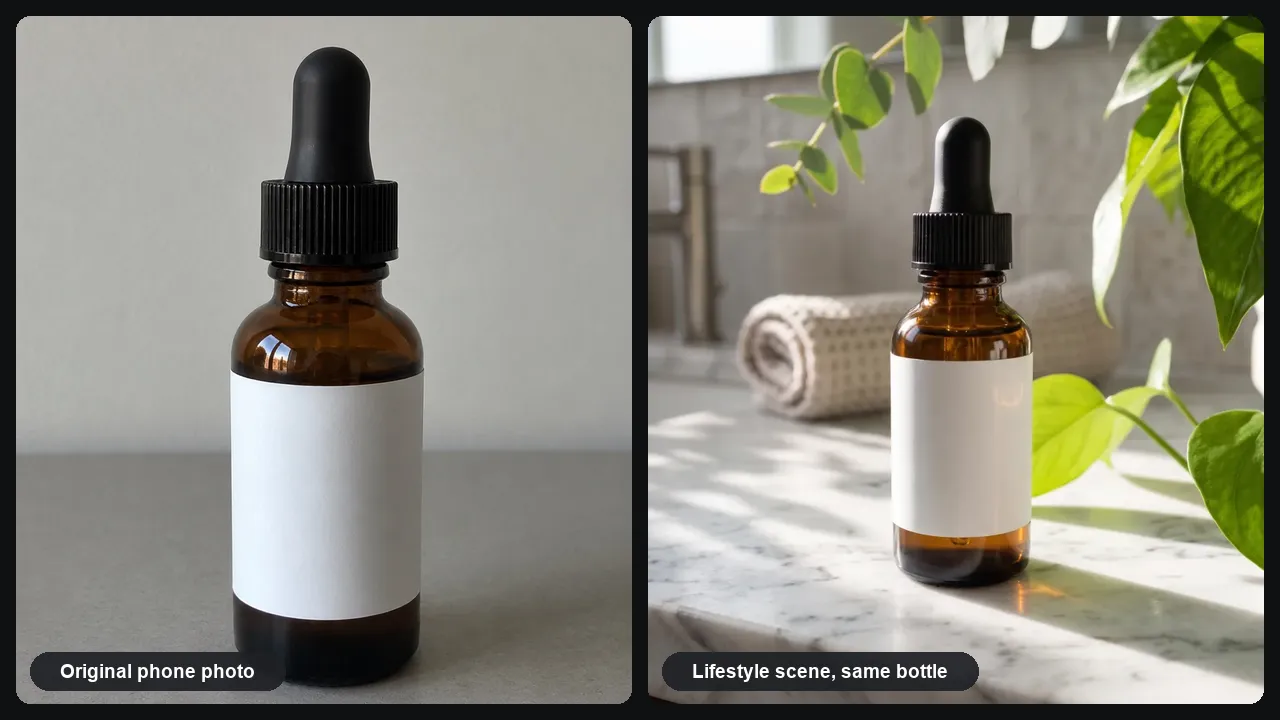
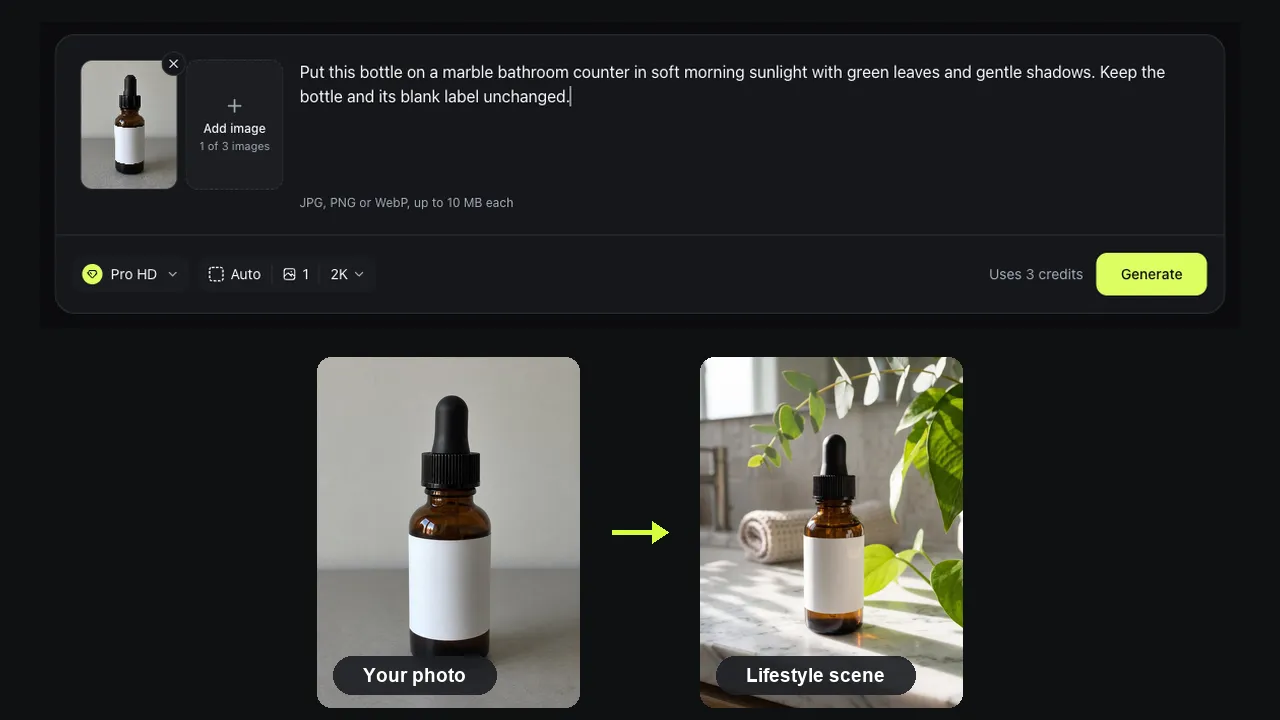
Our test photo was an amber dropper bottle with a blank label on a gray table. One Pro HD run of AI product photography put it on a marble bathroom counter with morning sun, a towel and green leaves.
We measured the bottle before and after
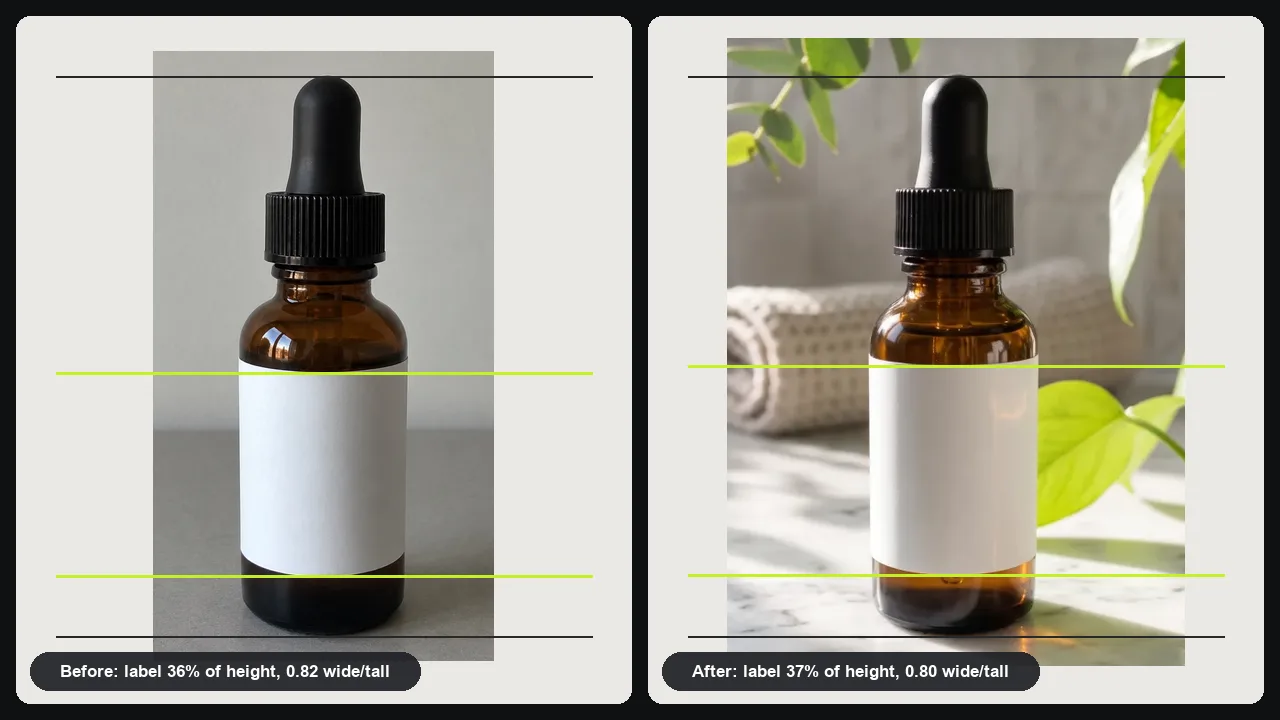
The label took 36% of the bottle's height before AI product photography and 37% after; its width-to-height ratio went from 0.82 to 0.80. The ribbed cap and dropper kept their shape, and the blank label stayed blank, with no made-up brand name. The bottle did shrink from 78% to 57% of the frame to fit the scene.
One mug, two listing photos
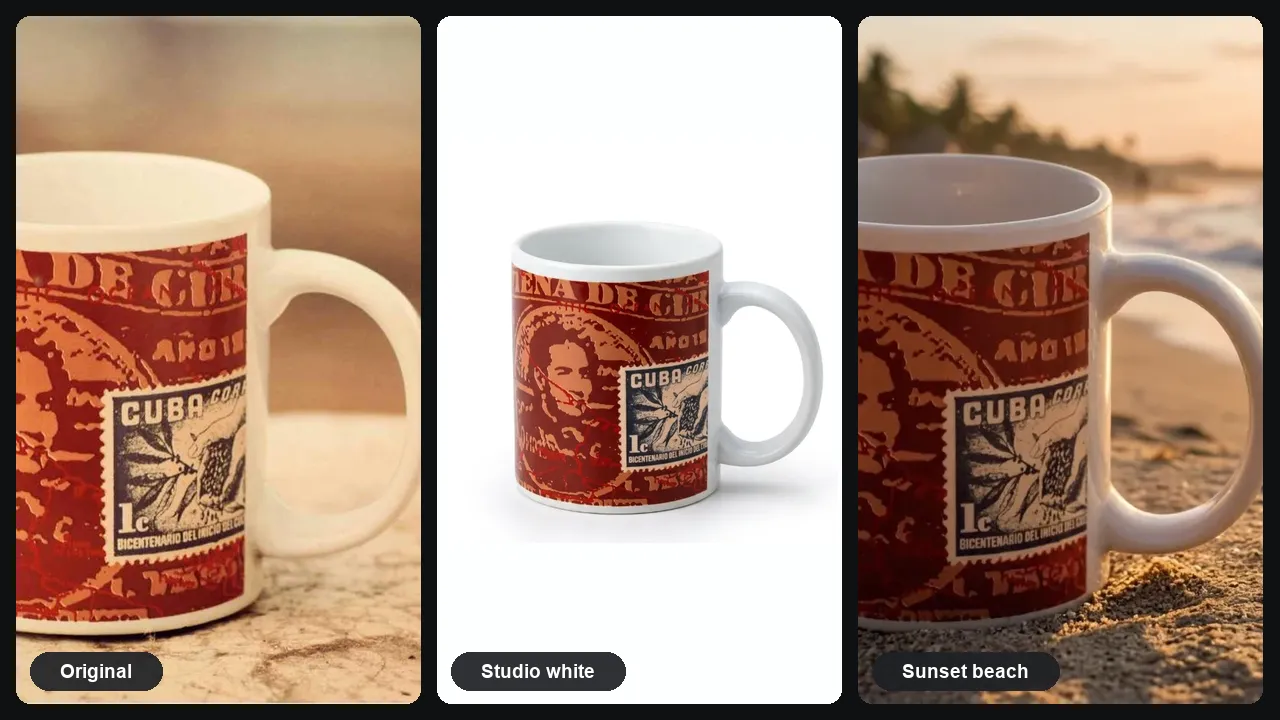
From one photo of a stamp-print mug on a wooden table, AI product photography made a white studio shot and a beach scene at sunset. The CUBA stamp and 1c value match in both, but the white shot also drew in the left side of the mug, which our photo had cut off.
Which AI product photo goes where
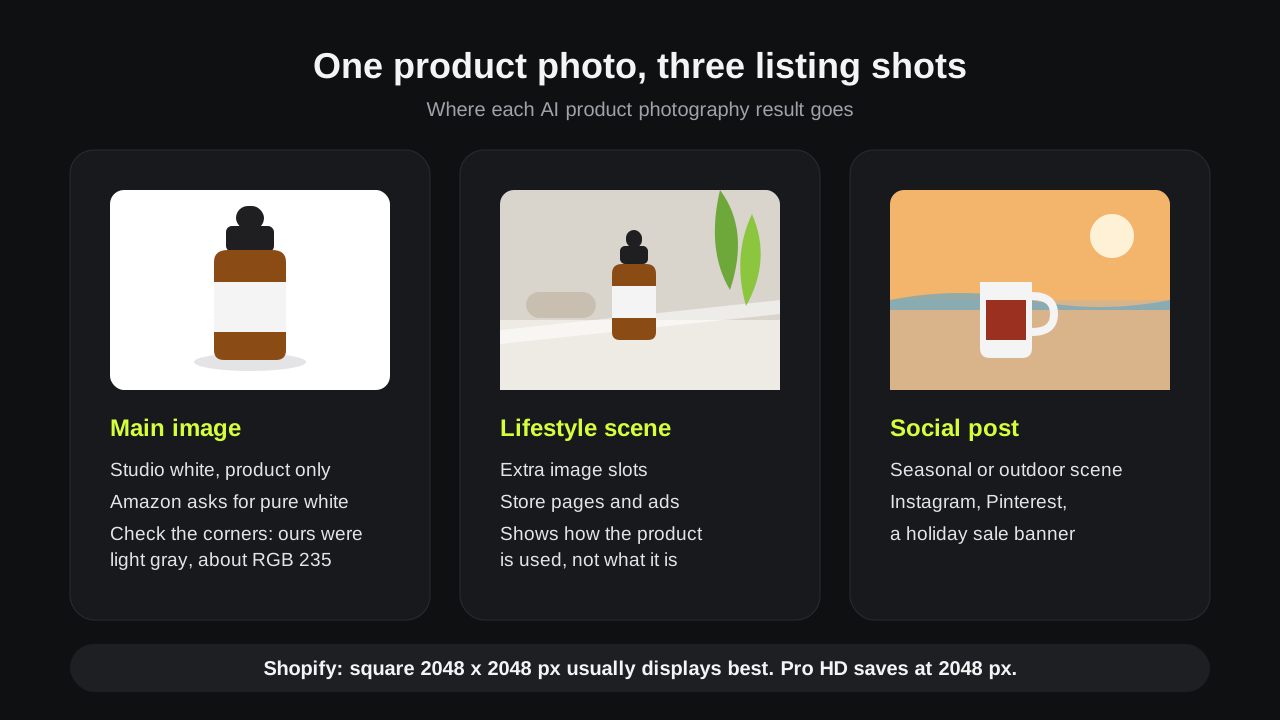
Stores do not treat every AI product photography shot the same. Amazon asks for a pure white background on the main image, so use studio white there. Lifestyle scenes fit the extra slots, ads and social posts. Shopify says square images at 2048 x 2048 pixels usually display best, the size Pro HD saves.
Load a template, swap in your product
Every card on this page loads a real photo and its prompt. Replace the photo with your product, keep the sentence about the label, and press Generate.
Prompts
AI product photography prompt ideas
Paste one into the AI product photography editor and change the product name.
Bathroom shelf
Put this bottle on a marble bathroom counter in soft morning sunlight with green leaves. Keep the bottle and its label unchanged.
Kitchen counter
Place this mug on a wooden kitchen counter by a window with coffee beans. Keep the mug and its print as they are.
Studio white
Place the product on a pure white #FFFFFF studio background with a soft shadow under it. Keep the product exactly as it is.
Holiday post
Put this product on a table with pine branches and warm string lights. Keep the product and label unchanged.
Tips
Tips for AI product photos buyers trust
Good lifestyle product photography with AI starts with an honest photo of the real item.
Shoot the whole item straight on
Front view, even light, nothing cut off. Our mug photo cropped one side, and AI product photography drew in the missing part.
Name what must not change
End the prompt with keep the label, logo and color unchanged. In our AI product photography tests that kept the label blank.
Check small print up close
Our test labels were blank or short, so compare long text before you list.
Good to know
How we tested and what to expect
AI product photography results made with this editor and measured on November 17, 2026 by the Image to Image team.
Test
A dropper bottle in Pro HD, sneakers in Pro and one mug in two scenes, measured in the before and after images.
Speed
Pro AI product photography runs took 25 to 44 seconds in our tests; Fast took about 14 seconds.
Cost
Fast uses 1 credit, Pro 2 and Pro HD 3, about $0.20, $0.40 and $0.60 with the $9.99 pack. New accounts may get 2 free credits.
Props are not the product
Stores expect photos to match what the buyer receives. Stage the scene with AI product photography, but leave the product itself as it is.
Privacy
Uploads and results are deleted after 7 days.
Image rules: Amazon product image requirements and Shopify product media.
FAQ
Questions about AI product photography
Is AI product photography free here?
You can try it free. New accounts may get 2 free credits while the daily allowance lasts, enough for one Pro AI product photography image or two Fast ones. Pro HD needs 3 credits; packs start at $9.99 for 50 credits.
Can I use an AI product photo as my Amazon main image?
Only the white studio version, and check it first. Amazon asks for pure white behind the main image, and our sneaker result came out light gray, about RGB 235. Ask for pure white #FFFFFF.
Will the AI product image generator change my label or logo?
Not in our AI product photography tests. The bottle's blank label stayed blank, and the mug's CUBA stamp and 1c value matched in both results. Small print can still drift, so zoom in before you list.
Is this an AI product photo generator from text only?
No. AI product photography here starts from a photo of your real product, which is why the item stays the same. A text-only generator invents a product that only looks close.
What makes good lifestyle product photography?
A setting that shows how the product is used, light that matches its shadows, and props that do not compete with it. Our AI product photography test with the bottle shows all three: marble, towel and leaves.
Ready to photograph your product?
Upload a phone photo, pick a scene and AI product photography gives you a store-ready image in under a minute.