White Background Photo Editor for Products and Portraits
This white background photo editor puts your subject on clean studio white with a soft shadow and leaves the subject untouched.
JPG, PNG or WebP, up to 10 MB each
Example
Try the white background photo editor on a real example
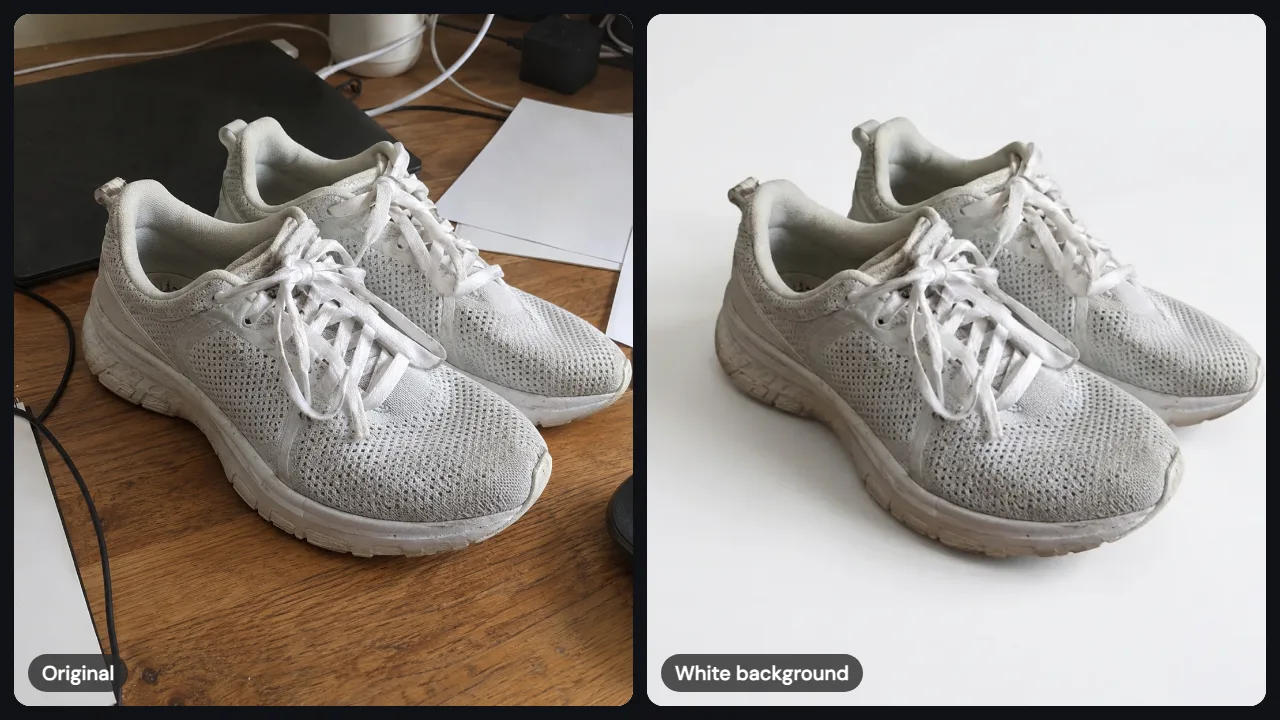
The sneaker card is a real result: a phone shot on a messy desk, moved onto studio white. The bottle card shows a common next step, a lifestyle scene for the second listing image.
Need a scene instead of plain white? Change image background to a beach or kitchen, turn a portrait from photo to anime, or open the image to image editor for anything else. Staging a whole room rather than one product? Try AI room design. Need lifestyle shots next to what the white background photo editor makes? Try AI product photography.
How it works
How to add white background to photo in 3 steps
The white background photo editor needs one photo and one sentence, and the template writes the sentence for you.
Upload the photo
JPG, PNG or WebP up to 10 MB. Keep the whole subject in the shot with a little space around it.
Pick White Background
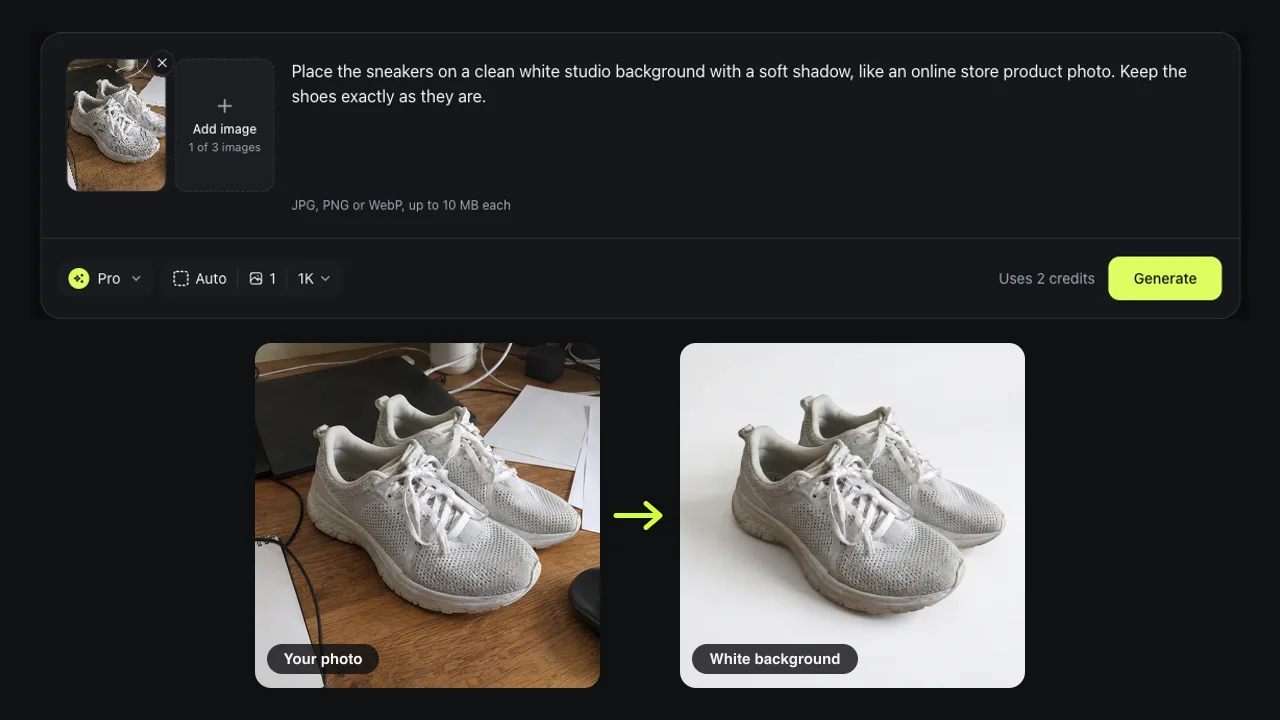
Choose the template, or write: place this on clean studio white with a soft shadow, keep it exactly as it is.
Generate and check
Compare before and after in the white background photo editor, zoom into the edges, then download. Pro HD saves at 2048 pixels.
Results
What the white background photo editor keeps
A background remover cuts the subject out and leaves you to fill the gap. This white background photo editor rebuilds the picture around your subject, so the light, shadow and edges match the new backdrop.
From a messy desk to studio white
Our test photo was a pair of worn sneakers on a wooden desk next to a laptop and cables. One Pro edit in the white background photo editor removed the clutter, kept both shoes at the same angle and added a soft shadow. No masking, no selection.
Laces, mesh and scuffs stay as they are
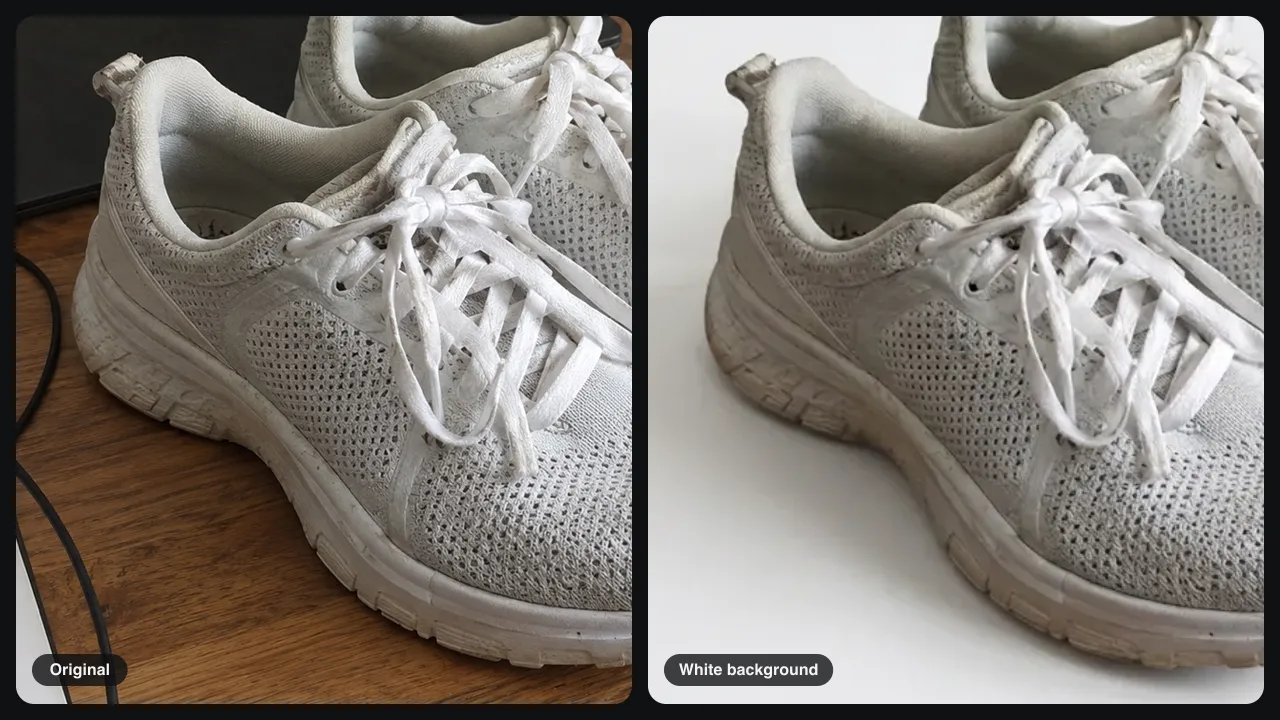
Zoom in and the knit mesh, lace loops and even the scuffs on the toe are still there. The white background photo editor did not clean up or redraw the shoes, which matters for listings where buyers expect the real item. White shoes still stand apart from the backdrop thanks to the shadow.
Studio white or pure white?
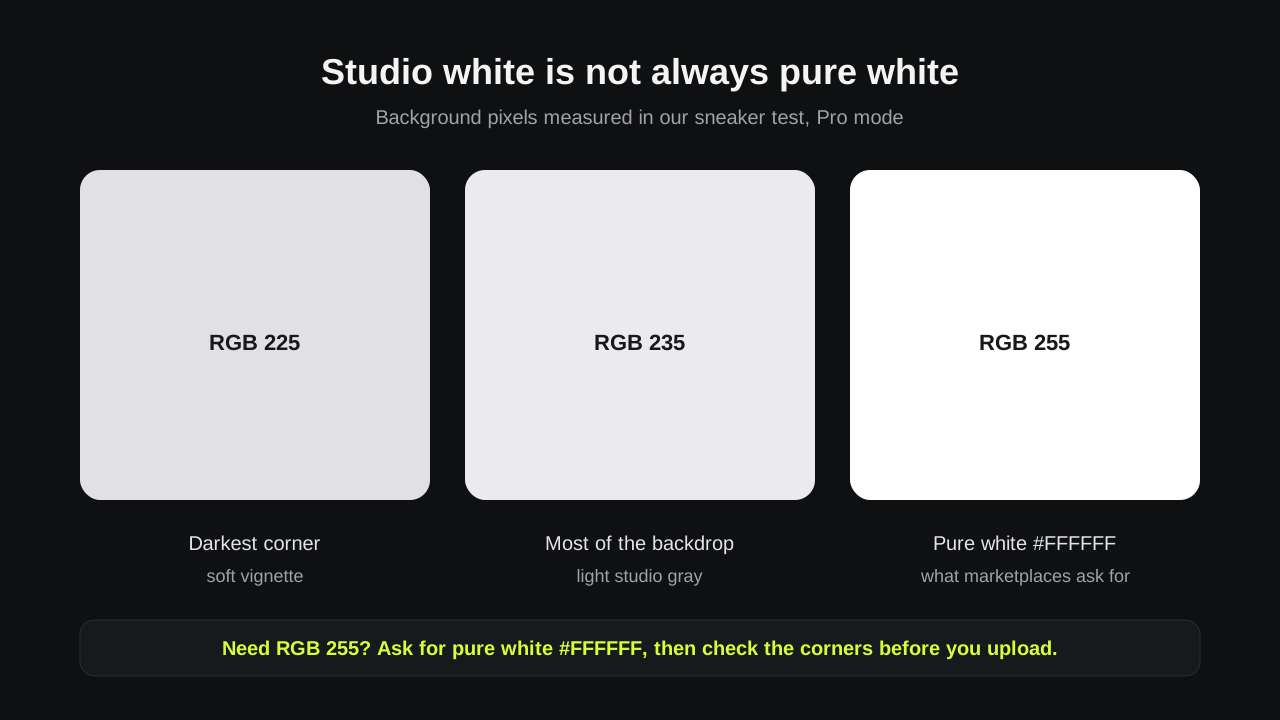
We measured the result: most of the backdrop is light gray around RGB 235, with corners near RGB 225, and no pixel was pure white. That looks white on screen and keeps white products visible, but some marketplaces ask for RGB 255. Then ask the white background photo editor for pure white #FFFFFF and check the corners.
Products, headshots and pets
Use the white background photo editor for store listings, a resume headshot, a team page or a pet adoption profile. Add up to 3 images in one edit when a second angle helps.
Prompts
Prompts to make photo background white
Copy one into the white background photo editor. The last part tells the AI what must stay.
Store listing
Place this product on a pure white background, #FFFFFF, with a soft shadow underneath. Keep the product exactly as it is.
Headshot
Change photo background to white for a professional headshot with soft, even light. Keep the face, hair and clothes.
Pet profile
Put my dog on a clean white background with a light shadow. Keep its fur, collar and pose.
Tips
Tips for a cleaner white background photo
Most white background photo editor problems come from the photo, not the prompt.
Keep the whole subject in frame
No white background maker can rebuild a cut-off shoe tip or handle well.
Give pale items a shadow
White and cream products need a soft shadow or light gray backdrop to show their edges.
Check small text
The white background photo editor can redraw fine print on labels, so compare it with the original.
Good to know
Test notes and limits
Checked and measured on November 13, 2026 by the Image to Image team.
Test
White Background template, Pro mode, a 1200-pixel phone photo of sneakers on a desk; background pixels measured on the result.
Speed
Pro edits in the white background photo editor took 25 to 44 seconds in our tests.
Cost
Fast uses 1 credit, Pro 2 and Pro HD 3. New accounts may get 2 free credits.
Not for passports
Passport and ID photos must not be digitally altered, so take a new photo against a white wall instead.
Privacy
Uploads and results are deleted after 7 days.
FAQ
Questions about the white background photo editor
How do I add white background to photo for free?
New accounts may get 2 free credits while the daily allowance lasts. That covers two Fast edits or one Pro edit in the white background photo editor. After that, credit packs start at $9.99 for 50 credits.
Is the result pure white?
Not always. Our white background photo editor test came out as light studio gray, about RGB 235, with a soft shadow. Ask for pure white #FFFFFF when a marketplace requires RGB 255, then check the corners.
How do I make photo background white without Photoshop?
Upload the picture, pick the White Background template and press Generate. You don't select or mask anything, and the white background photo editor runs in a phone or desktop browser.
Can I use it for a passport or visa photo?
We don't recommend the white background photo editor for that. US passport rules reject digitally altered photos, and an AI edit redraws the whole image. Take a new photo against a plain white wall instead.
How is this different from a background remover?
A background remover gives you a cutout with a transparent background. The white background photo editor gives you a finished image with a white backdrop and a matching shadow, ready to upload.
Ready to make your white background photo?
Upload a photo to the white background photo editor, pick White Background, and get a clean image in under a minute.