Add Snow to Photo Scenes and See Exactly What Changed
Upload a summer or autumn shot to add snow to photo scenes in one step, then see which details the AI moved.
JPG, PNG or WebP, up to 10 MB each
Examples
Start from a real add snow to photo result
Both cards are real results from this editor. Summer to Winter is the add snow to photo test below; Holiday Card adds falling snow to a couple photo.
Want string lights and scarves too? Make an AI Christmas photo. To replace the whole scene instead, change image background, or open the image to image editor for any other edit.
How it works
How to add snow to photo scenes in 3 steps
To add snow effect to photo scenes here, you need one outdoor photo and one sentence about how much winter you want.
Upload an outdoor photo
Roofs, trees, grass or water give the snow somewhere to land. JPG, PNG or WebP up to 10 MB.
Load Summer to Winter
Or write your own add snow to photo prompt, and end it with keep the house exactly the same.
Generate, compare, download
Pro took 25 to 44 seconds in our tests. Compare with the slider, then download.
Results
What changed when we added snow, and what didn't
Two real add snow to photo results, checked area by area.
Summer cabin to winter cabin in one run
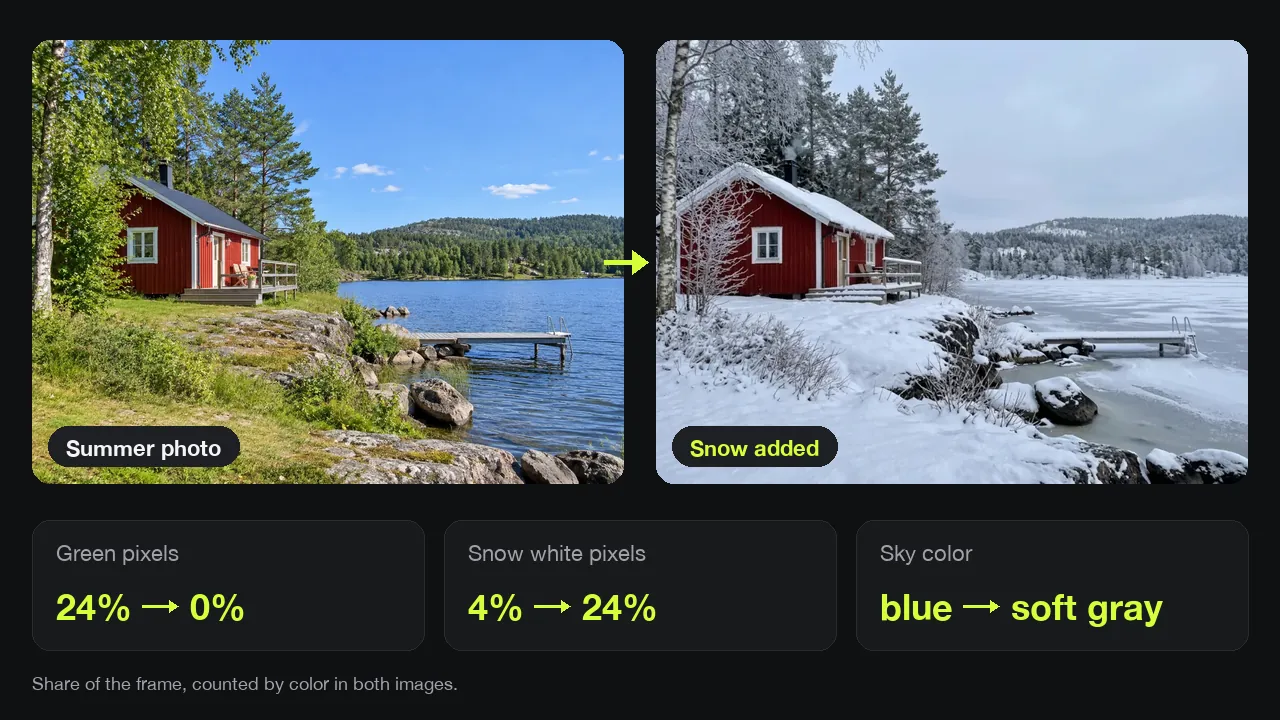
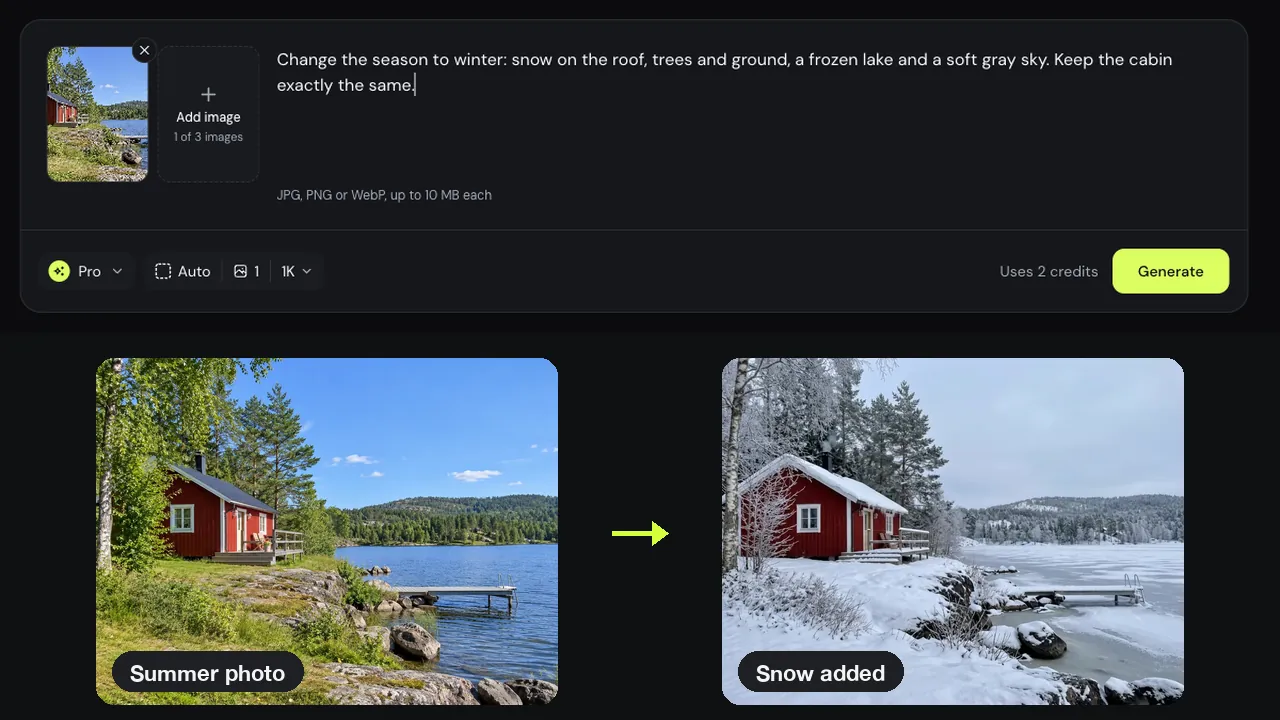
Our test photo was a red cabin by a lake on a sunny day. One Pro add snow to photo run covered the roof, rocks and ground in snow, frosted the pines, froze the lake and turned the sky soft gray. Green pixels went from 24% of the frame to 0%.
Snow where it would really settle
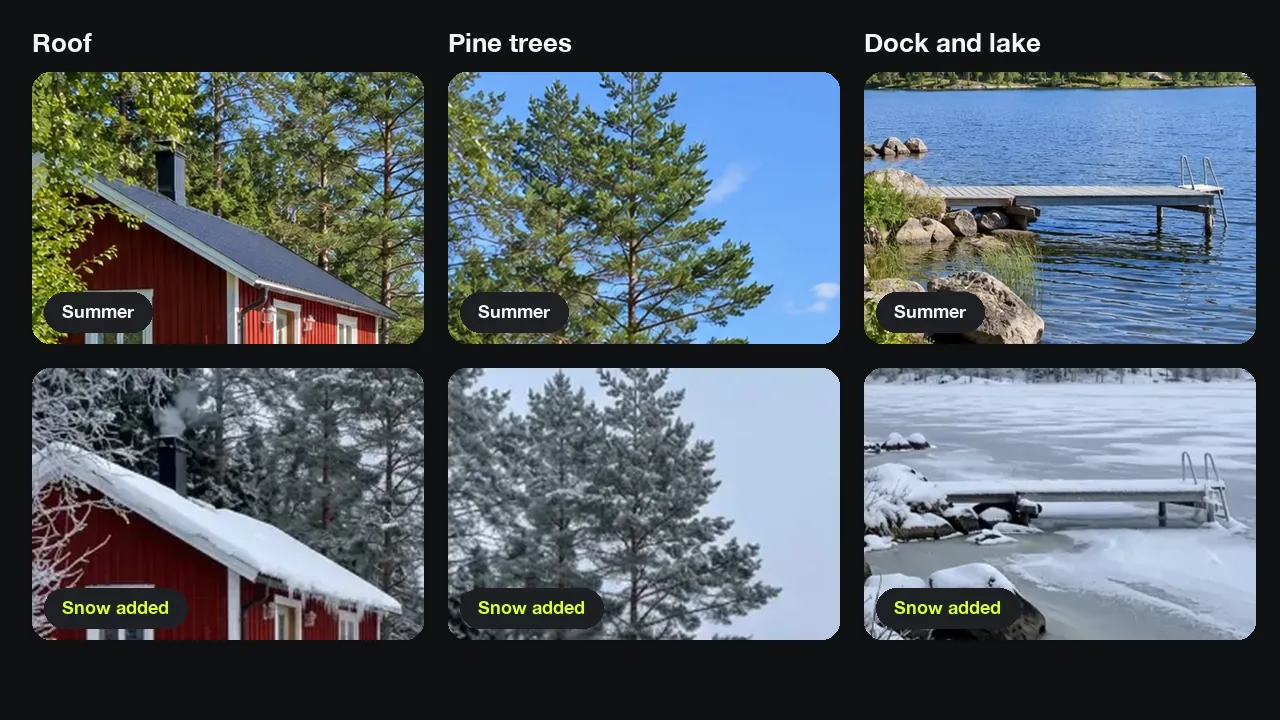
Close up, the add snow to photo result puts thick snow on the roof and rocks, thin snow on the pines, and ice on the lake. It reads as a snow effect photo taken in winter, not flakes pasted on top. Pale snow pixels went from 4% to 24%.
What the AI kept and what it moved
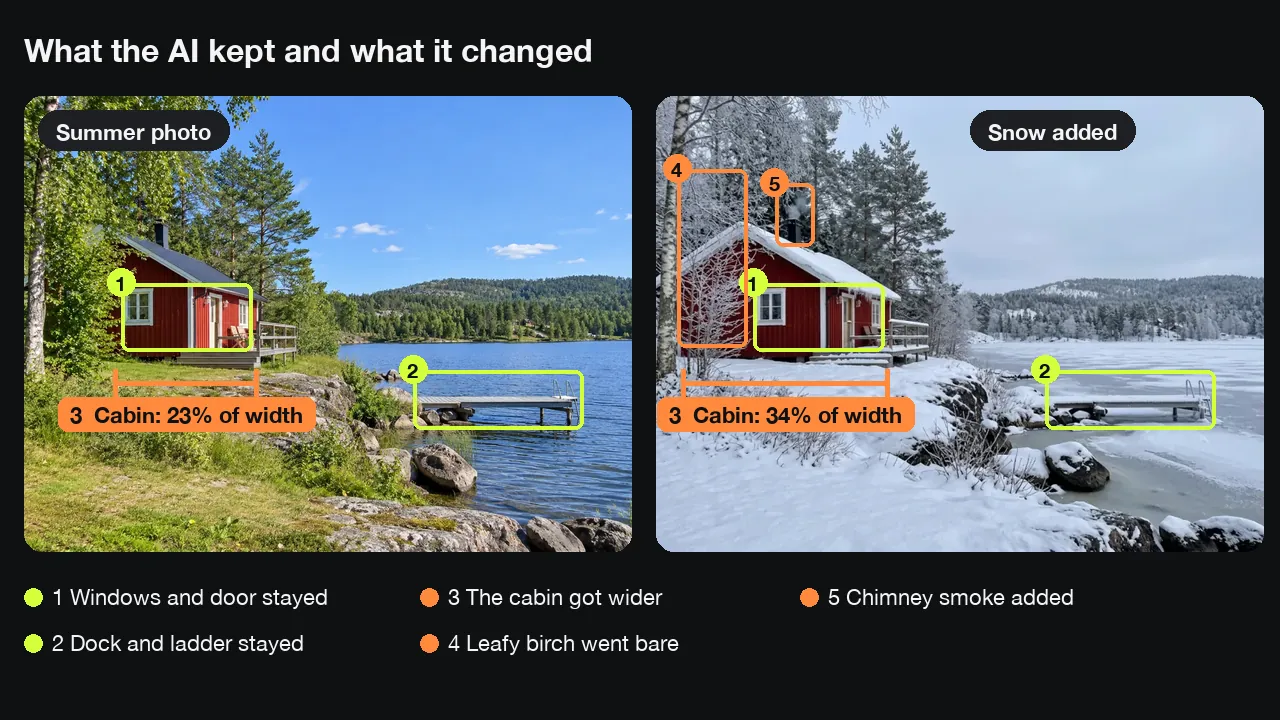
The add snow to photo run kept the windows, door, deck chairs, dock, ladder and rocks in place. Three things changed that we did not ask for: the cabin grew wider, from 23% to 34% of the frame, the leafy birch on the left went bare, and smoke now rises from the chimney.
Busy places can lose their people
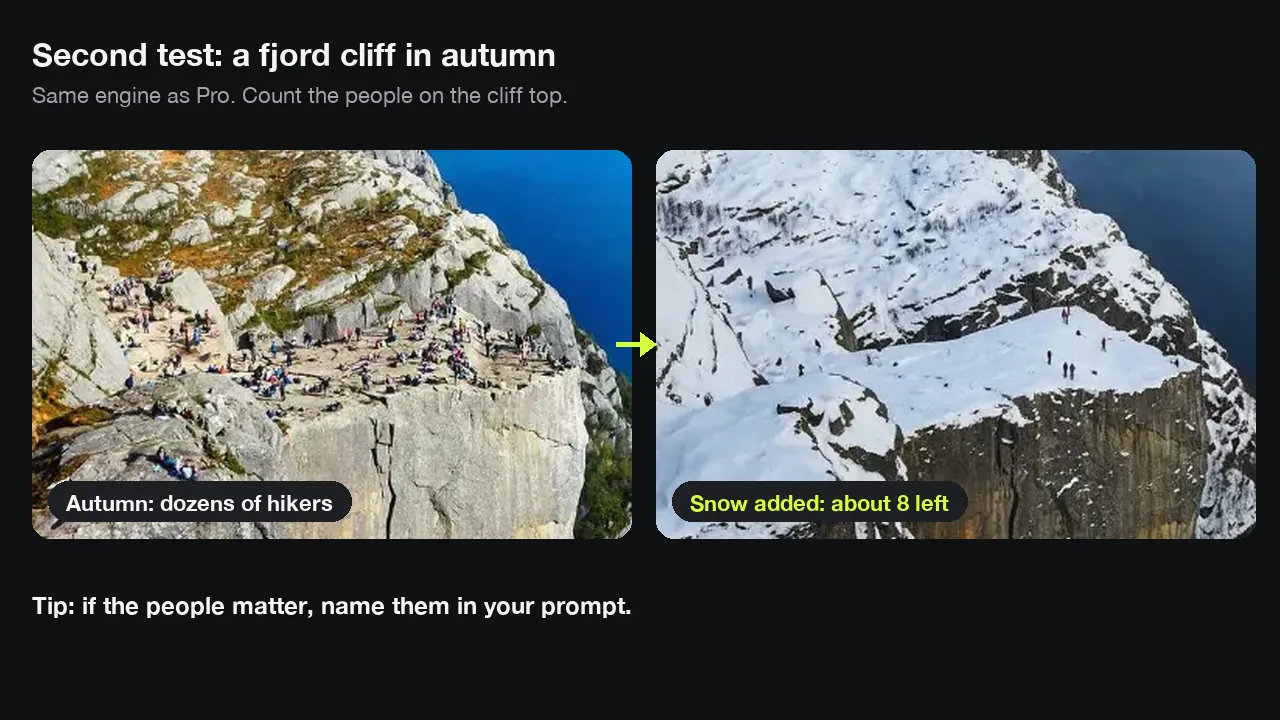
In a second add snow to photo test, a cliff over a fjord with dozens of hikers came back with about eight people left. If the people matter, name them in the prompt.
Load the template, swap in your photo
Every card here loads a real add snow to photo example and its prompt. Replace the cabin with your own scene, keep the line about what must stay the same, and press Generate.
Prompts
Snow prompt ideas: light dusting to deep winter
Paste one into the add snow to photo editor and change the details. Only Summer to Winter was tested; the others are starting points.
Light dusting
Add a light dusting of snow on the roof, grass and branches. Keep the sky and the house as they are.
Deep winter
Change the season to deep winter: thick snow on every surface, a frozen lake and a gray sky. Keep the house exactly the same.
Falling snow
Add gently falling snowflakes and a thin layer of snow on the ground. Keep the people and their faces unchanged.
Snowy evening
Make it a snowy evening with warm light in the windows. Keep the building and layout the same.
Tips
Tips for a realistic snow photo editor result
Snow needs surfaces to land on, so for add snow to photo edits the photo matters as much as the prompt.
Pick an outdoor scene
Roofs, trees, rocks and water gave our cabin its look. A face close-up has nowhere for snow to settle.
Say what must not move
Name the house, people or car in your add snow to photo prompt. Ours said keep the cabin exactly the same, and it still got wider.
Check walls and people
Drag the slider across walls, windows and faces before you download.
Good to know
How we tested and what to expect
Add snow to photo results made with this editor and checked on November 22, 2026 by the Image to Image team.
Test
Two add snow to photo runs: a summer cabin in Pro and an autumn fjord with the same engine. We compared each area and counted pixels by color.
Speed
Pro add snow to photo runs took 25 to 44 seconds in our tests; Fast took about 14 seconds.
Cost
Fast uses 1 credit, Pro 2 and Pro HD 3, about $0.20, $0.40 and $0.60 with the $9.99 pack. New accounts may get 2 free credits.
Limits
We have not tested falling snow or night scenes. The AI can widen buildings and drop people, so check before you share.
Privacy
Uploads and results are deleted after 7 days.
FAQ
Questions about adding snow to photos
Is it free to add snow to photo scenes here?
You can try it free. New accounts may get 2 free credits while the daily allowance lasts, enough for one Pro add snow to photo edit or two Fast ones. Pro HD needs 3 credits; packs start at $9.99 for 50 credits.
Can I add falling snow instead of snow on the ground?
Yes, ask for it. Our add snow to photo template asked for snow on the roof, trees and ground, and the result had no falling flakes. Try the Falling snow prompt above; it is untested.
Is this the same as an AI snow filter?
No. An AI snow filter lays flakes or a white haze over your photo. Our add snow to photo editor redraws the scene: snow piles on roofs, trees lose leaves and water freezes, so small details can change too.
Can I add snow to picture files from my phone?
Yes. Add snow to photo files straight from your phone's browser: JPG, PNG or WebP up to 10 MB. If your iPhone saves HEIC, share it as a JPG first.
Can I use the snowy photo for a holiday card?
Yes. Add snow to photo scenes here, download the winter version, then load it into the Christmas card generator to add a greeting and a border.
Ready to add snow to your photo?
Load Summer to Winter, swap in your outdoor shot and add snow to photo scenes in under a minute.